> ## Documentation Index
> Fetch the complete documentation index at: https://docs.asapp.com/llms.txt
> Use this file to discover all available pages before exploring further.
# Digital Agent Desk
> Use the Digital Agent Desk to empower agents to deliver fast and exceptional customer service.
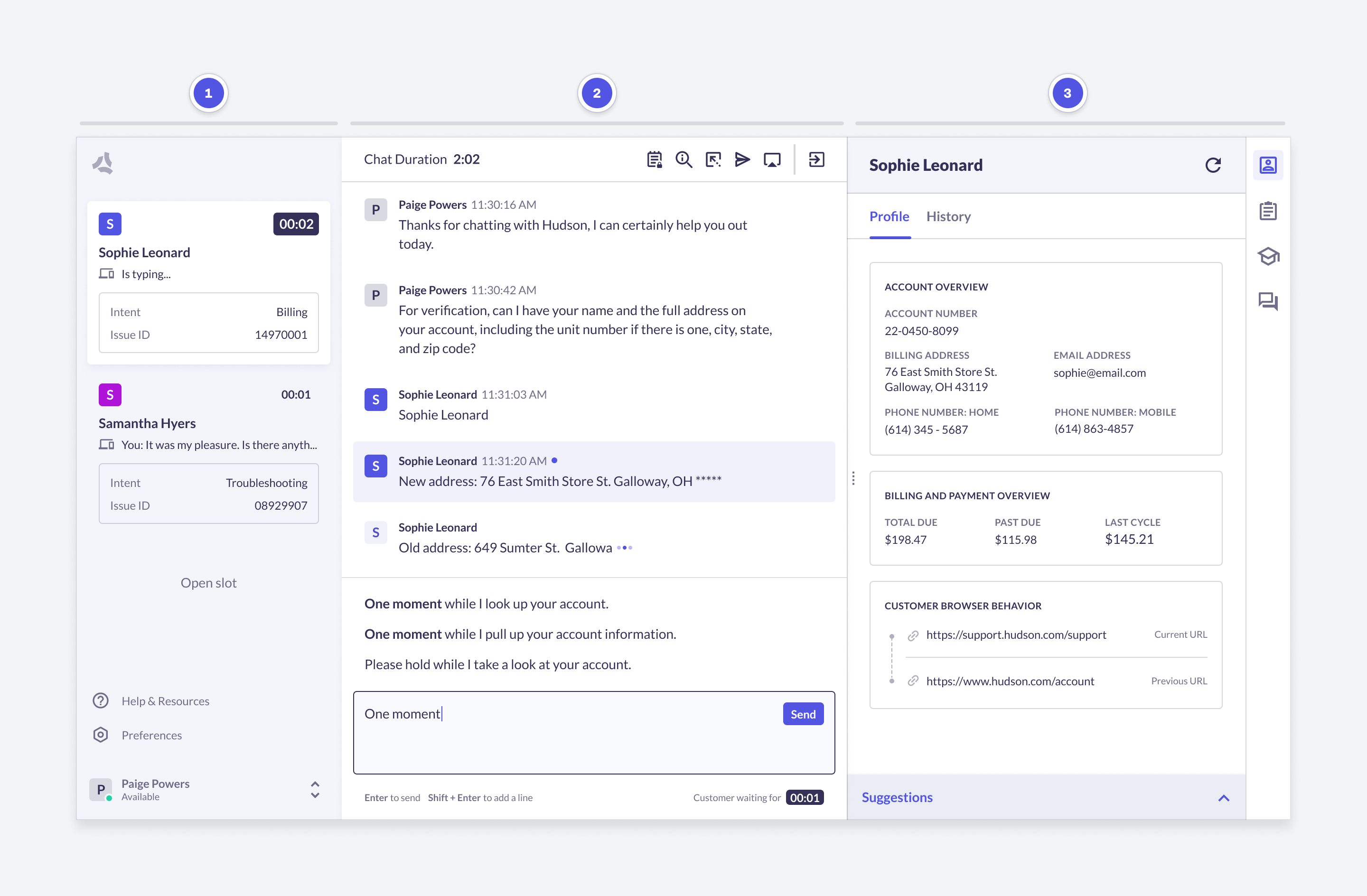
The Digital Agent Desk for chat serves as the main application where agents communicate with customers. Agents can:
* Send and receive messages across multiple channels.
* Manage concurrent conversations with intelligent prioritization.
* Access interaction history for context-aware support.
* Utilize AI tools like AI Compose, Autopilot, and AI Summary for faster Average Handle Time (AHT).
* Access an intuitive interface with integrated [knowledge base](/agent-desk/digital-agent-desk/knowledge-base) and customer info.
 ## AI tools
Digital Agent Desk captures agent conversations and actions to power Machine Learning (ML) models. These models power a number of AI tools that help agents deliver exceptional customer service.
Automatically sends messages to customers based on conversation context to allow agents to focus on meaningful parts of a conversation. You can configure the Digital Agent Desk to send messages in English, Spanish, or French.
* **AutoPilot Greeting**: Sends a greeting message to customers when conversations start.
* **AutoPilot Ending**: Sends a closing message to customers when conversations end.
* **AutoPilot Timeout**: Automatically handles closing conversations where customers have become inactive.
## AI tools
Digital Agent Desk captures agent conversations and actions to power Machine Learning (ML) models. These models power a number of AI tools that help agents deliver exceptional customer service.
Automatically sends messages to customers based on conversation context to allow agents to focus on meaningful parts of a conversation. You can configure the Digital Agent Desk to send messages in English, Spanish, or French.
* **AutoPilot Greeting**: Sends a greeting message to customers when conversations start.
* **AutoPilot Ending**: Sends a closing message to customers when conversations end.
* **AutoPilot Timeout**: Automatically handles closing conversations where customers have become inactive.
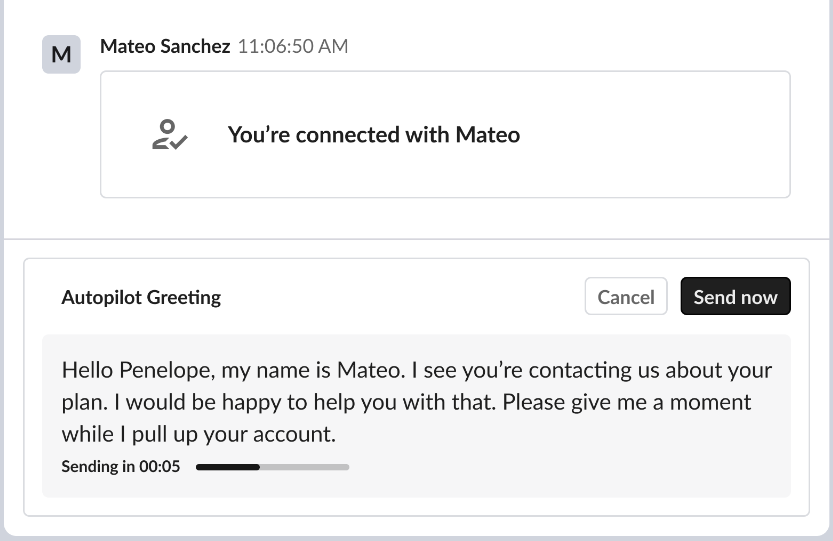 Contact your ASAPP account team to enable Spanish or French language support for AutoPilot.
Shows full responses to your agent based on conversation context, allowing your agent to select a response from the list to quickly reply.
Contact your ASAPP account team to enable Spanish or French language support for AutoPilot.
Shows full responses to your agent based on conversation context, allowing your agent to select a response from the list to quickly reply.
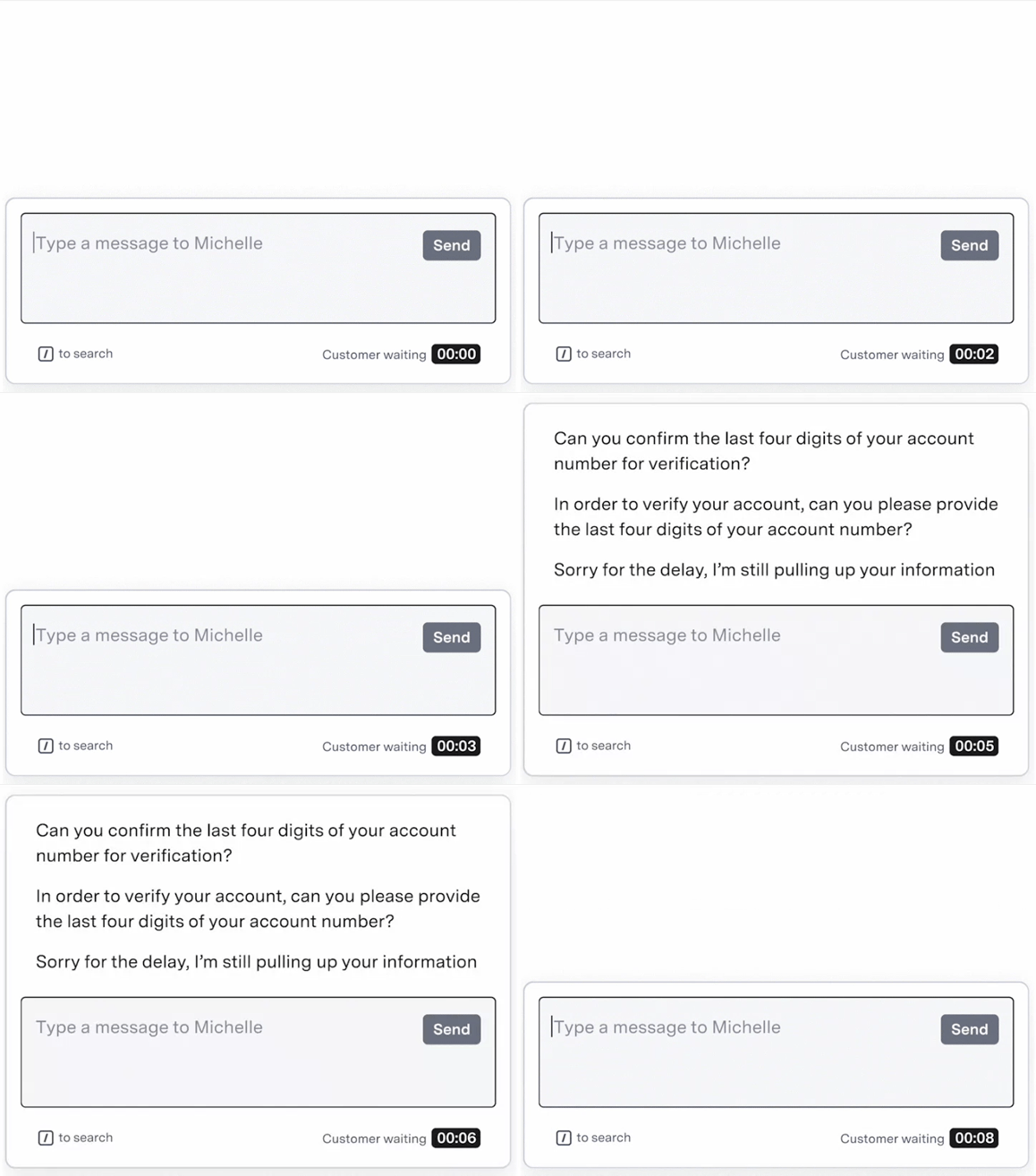 As your agent types, the system suggests new complete responses. This empowers agents to take advantage of the full response library.
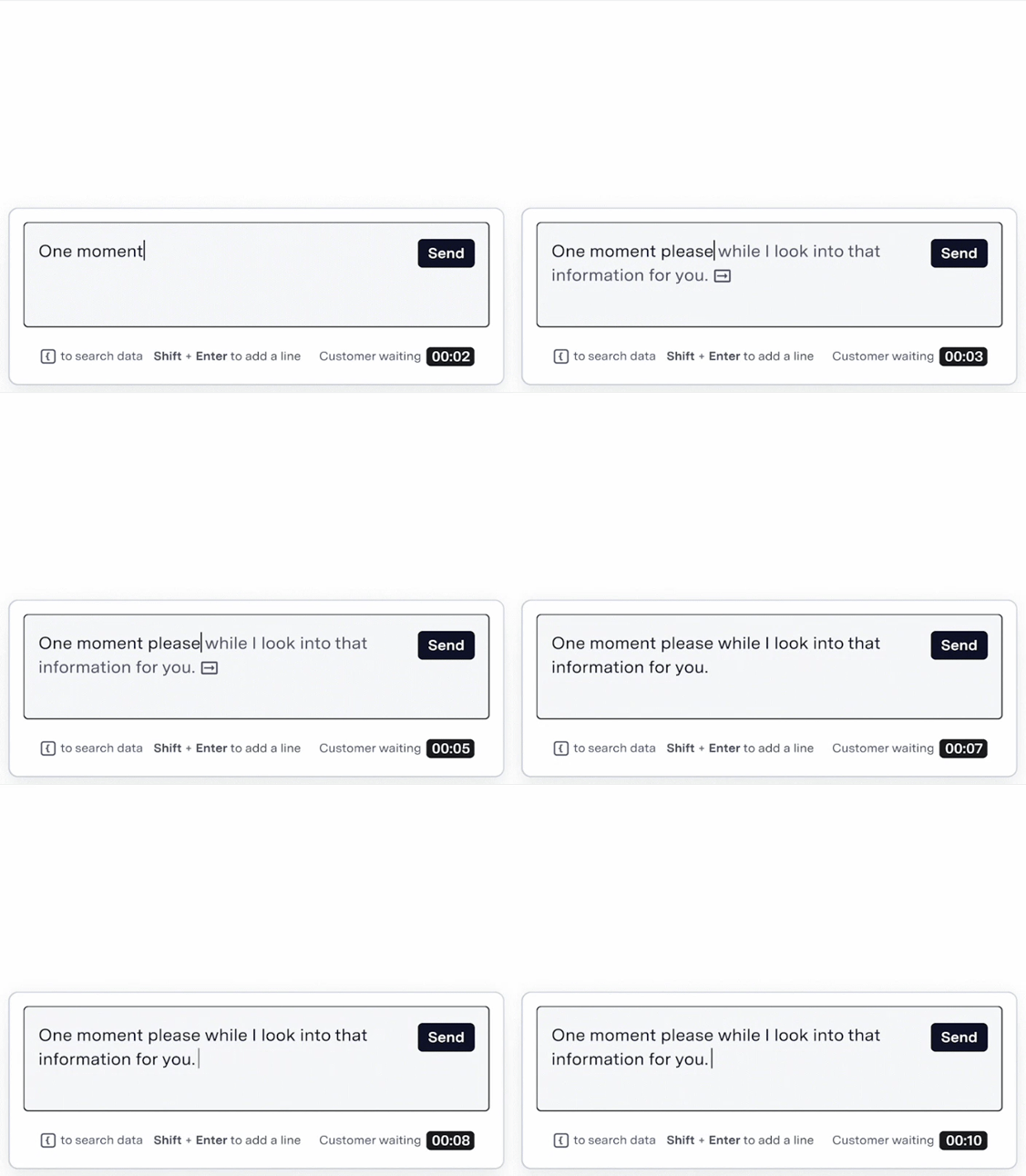
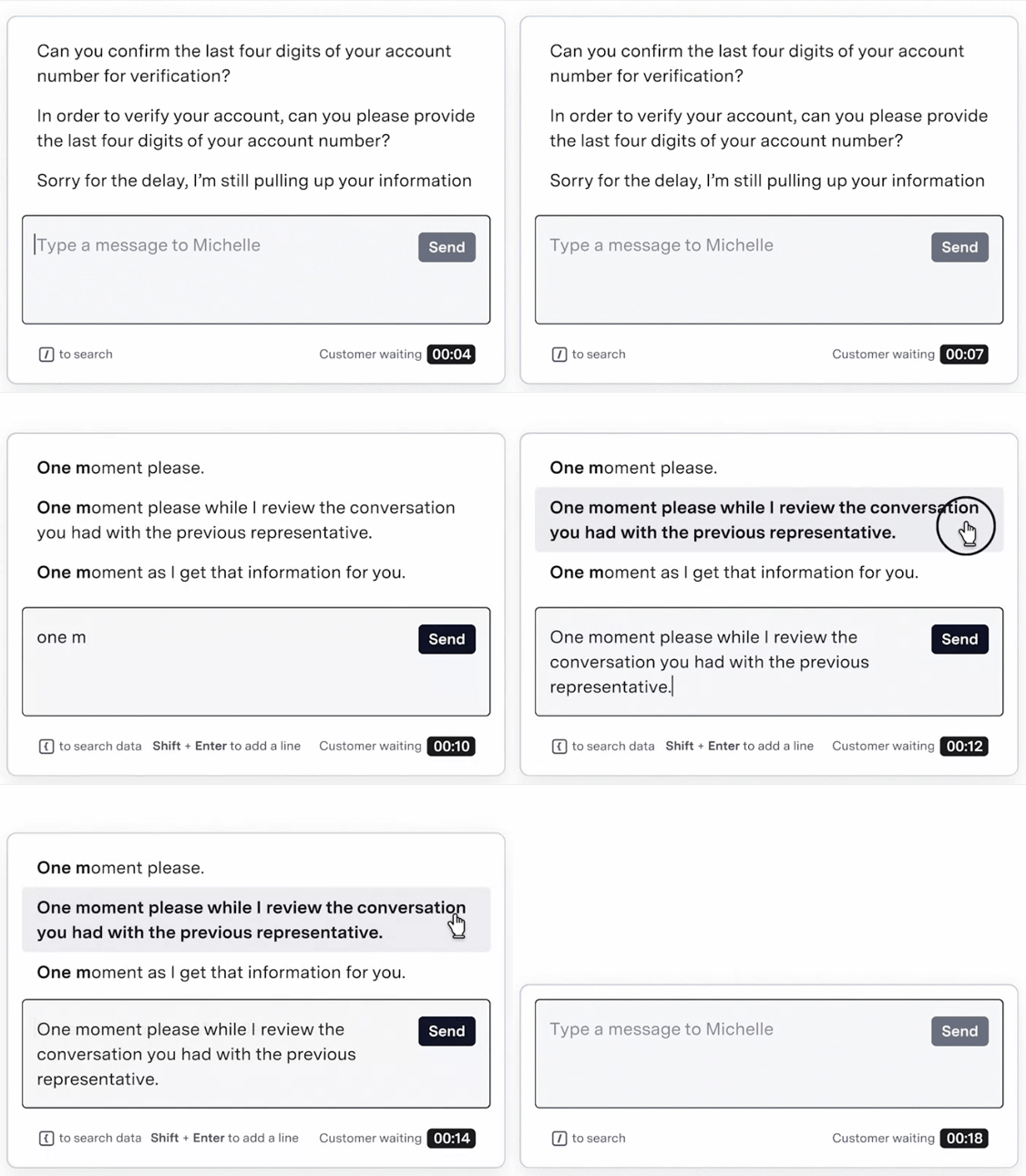 Proposes inline completions as your agent types, streamlining the typing and response process.
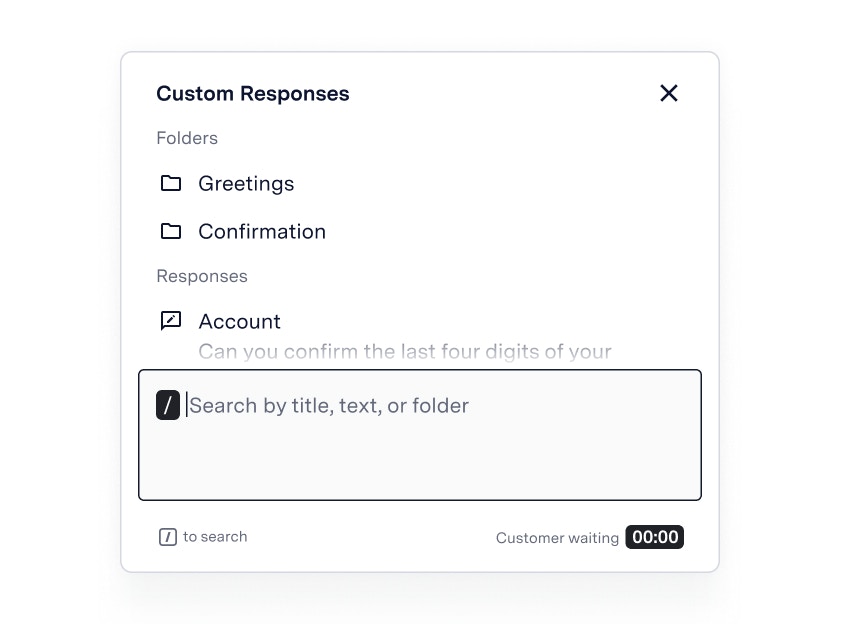
 Agents can use a library of pre-written responses either from your own organization or from their own responses.
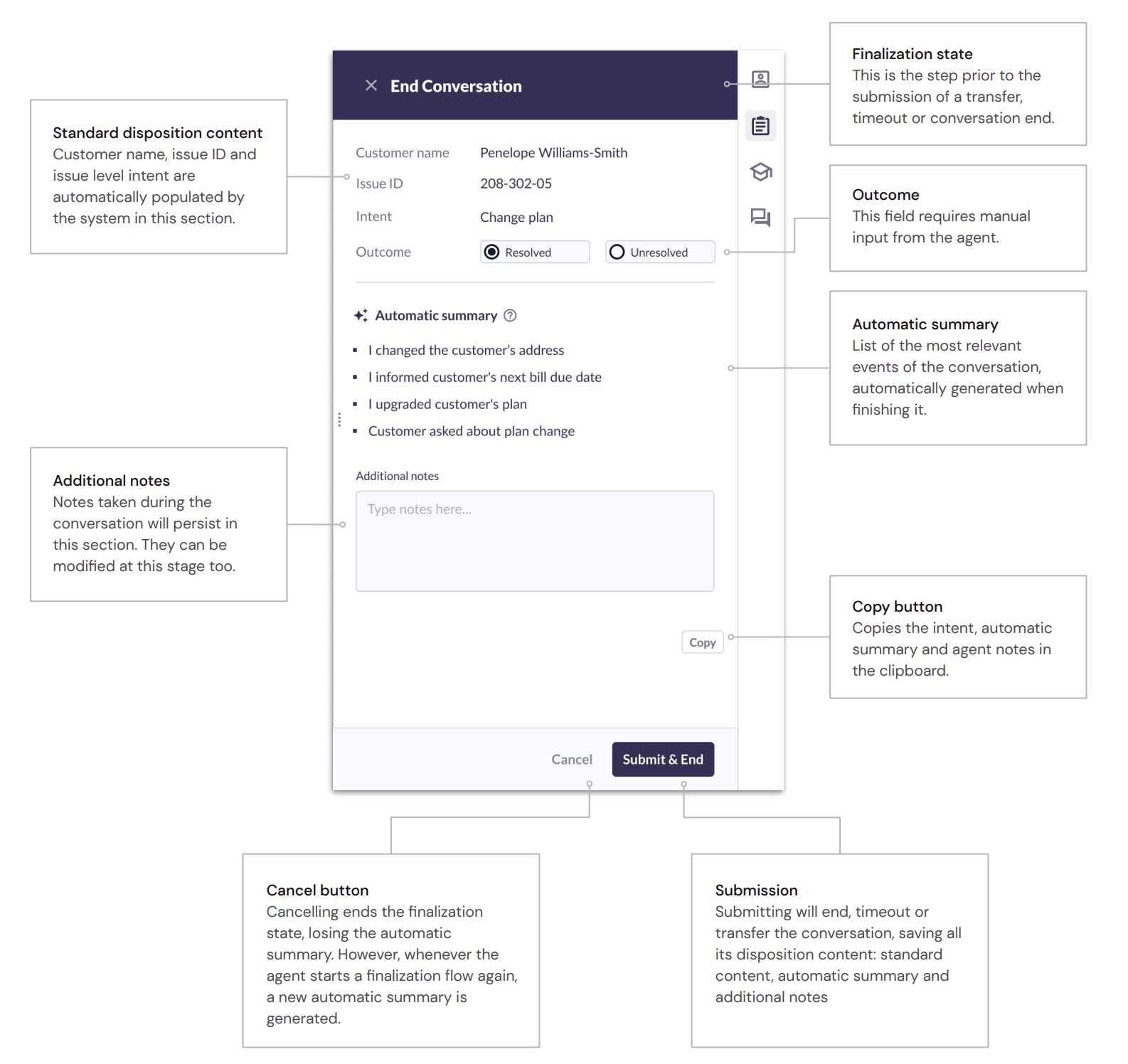
 Streamlines post-call work by automatically summarizing conversations.
 ## Right-Hand Panel
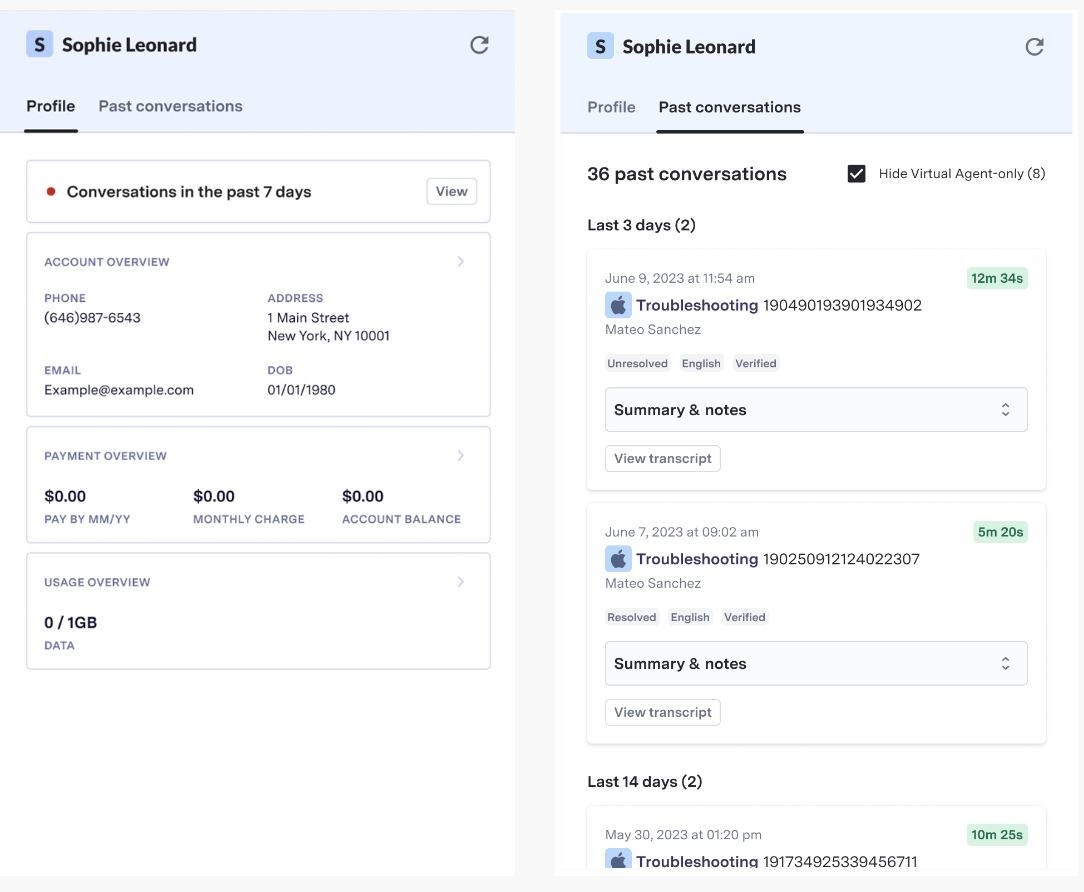
The right-hand panel serves as the hub for all agent activity. It provides a range of tools like key customer information, conversation history, knowledge base, and more to help agents deliver fast, accurate, and exceptional customer service.
This data comes directly from ASAPP, or from your own CRM or other systems.
## Right-Hand Panel
The right-hand panel serves as the hub for all agent activity. It provides a range of tools like key customer information, conversation history, knowledge base, and more to help agents deliver fast, accurate, and exceptional customer service.
This data comes directly from ASAPP, or from your own CRM or other systems.
 ## Next Steps
Learn how to navigate the Agent Desk
Learn how to set up and use the Knowledge Base
Connect your own systems and CRMs to the Agent Desk
## Next Steps
Learn how to navigate the Agent Desk
Learn how to set up and use the Knowledge Base
Connect your own systems and CRMs to the Agent Desk