> ## Documentation Index
> Fetch the complete documentation index at: https://docs.asapp.com/llms.txt
> Use this file to discover all available pages before exploring further.
# Customer Feedback
> Learn how to view customer feedback in Live Insights.
Live Insights tracks customers that engage with the satisfaction survey.
The Customer Feedback panel displays all feedback received throughout the day.
## Access Customer Feedback
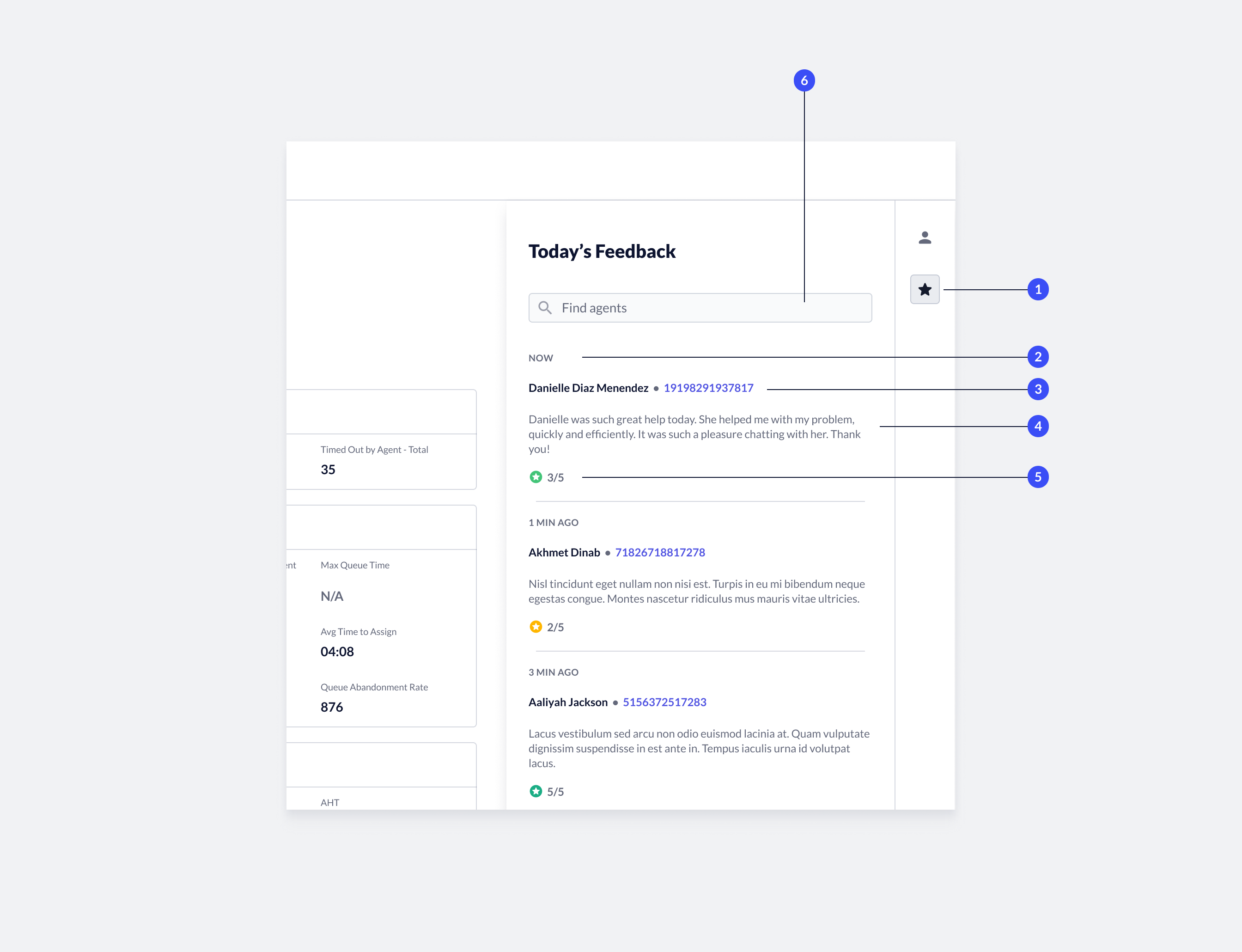 1. **Open feedback panel**: To view feedback, click the **Feedback** icon on the right side of the 'Performance' page. The system opens the Customer Feedback panel.
2. **Time stamp**: Indicates when the system recorded the feedback.
3. **Agent name and issue ID**: Indicates the targeted agent, as well as the customer's issue ID.
* **Issue ID link**: Click the **issue ID** to display the transcript in the Conversation Manager.
4. **Feedback**: Feedback that the customer left.
5. **CSAT**: CSAT score that the system calculates based on customer responses to the survey.
6. **Find agent**: You can filter the feedback received by agent. To view feedback related to a specific agent, type the **agent name** in the search field.
1. **Open feedback panel**: To view feedback, click the **Feedback** icon on the right side of the 'Performance' page. The system opens the Customer Feedback panel.
2. **Time stamp**: Indicates when the system recorded the feedback.
3. **Agent name and issue ID**: Indicates the targeted agent, as well as the customer's issue ID.
* **Issue ID link**: Click the **issue ID** to display the transcript in the Conversation Manager.
4. **Feedback**: Feedback that the customer left.
5. **CSAT**: CSAT score that the system calculates based on customer responses to the survey.
6. **Find agent**: You can filter the feedback received by agent. To view feedback related to a specific agent, type the **agent name** in the search field.