> ## Documentation Index
> Fetch the complete documentation index at: https://docs.asapp.com/llms.txt
> Use this file to discover all available pages before exploring further.
# AI Transcribe
> Transcribe your audio with best in class accuracy
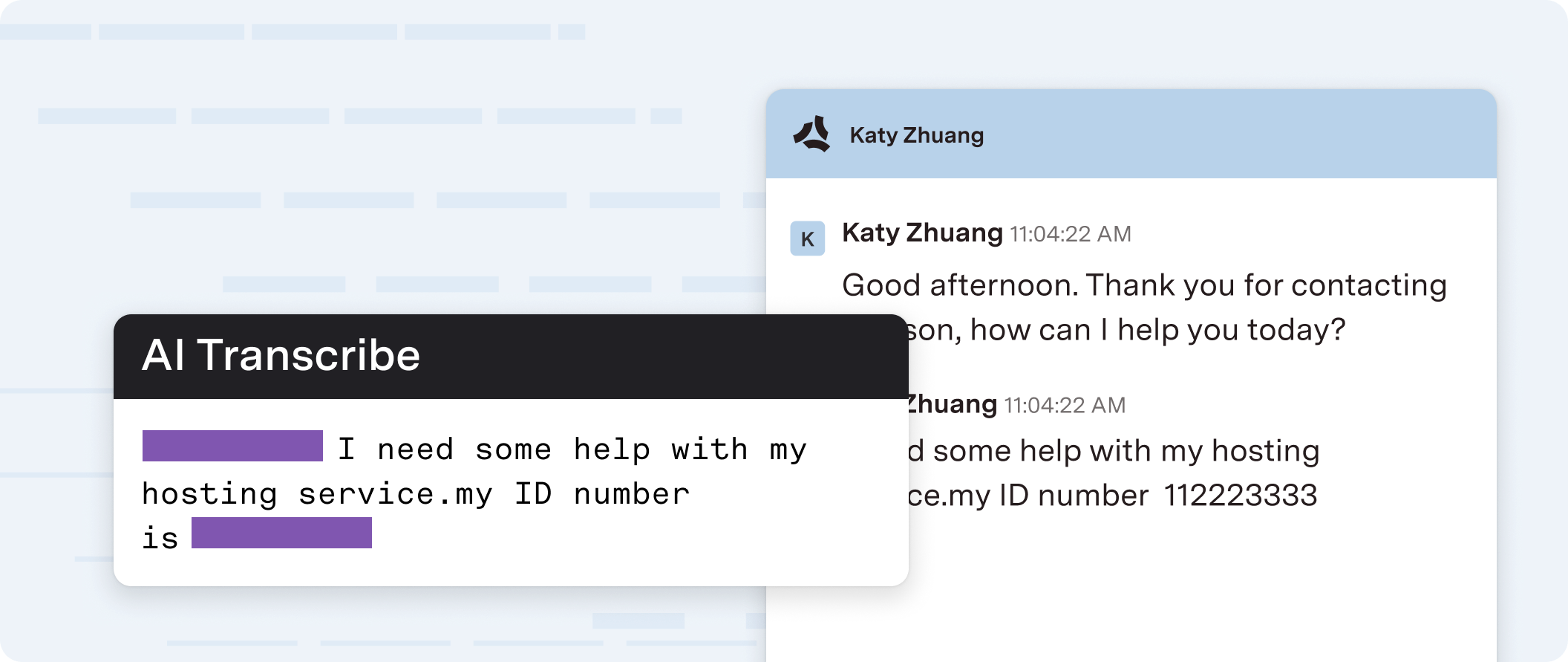 ASAPP AI Transcribe converts speech to text in real-time for live call audio streams and audio recordings.
Use AI Transcribe for voice interactions between contact center agents and their customers, in support of a broad range of use cases including real-time guidance, topical analysis, coaching, and quality management
A speech recognition model that transforms spoken form to written forms in real-time powers ASAPP's AI Transcribe service, along with punctuation and capitalization. To optimize performance, you can customize the model to support domain-specific needs by training on historical call audio and adding custom vocabulary to further boost recognition accuracy.
## How it Works
A speech recognition model that transforms spoken form to written forms in real-time powers ASAPP's AI Transcribe service, along with punctuation and capitalization.
To optimize performance, you can customize the model to support domain-specific needs by training on historical call audio and adding custom vocabulary to further boost recognition accuracy
ASAPP designed AI Transcribe to be fast enough to show an agent what was said immediately after every utterance.
You can implement AI Transcribe in three main integration patterns:
1. **WebSocket API**: All audio streaming, call signaling, and returned transcripts use a WebSocket API, preceded by an authentication mechanism that uses a REST API.
2. **SIPREC Media Gateway**: The ASAPP media gateway receives audio streaming, and a dedicated API receives call signaling; the system returns transcripts either in real-time or post-call.
3. **Third-Party CCaaS**: A third-party contact center as a service (CCaaS) vendor sends audio to the ASAPP media gateway, and an API sends call signaling; the system returns transcripts either in real-time or post-call.
Learn more about AI Transcribe in the Product Guide
## Get Started
To get started with AI Transcribe, you need to:
1. Follow the [Developer Quickstart](/getting-started/developers) to get your API Credentials
2. Choose the integration that best fits your use case:
### Platform Connectors
Transcribe audio from your SIPRec system using the ASAPP Media Gateway
Transcribe audio from your Twilio system using the ASAPP Media Gateway
Transcribe audio from your Amazon Connect system using the ASAPP Media Gateway
Transcribe audio from your Genesys system using the ASAPP Media Gateway
### Direct Integration
Use a websocket to send audio directly to AI Transcribe and receive the transcriptions
## Next Steps
Learn more about AI Transcribe in the Product Guide
Get started with the Developer Quickstart Guide
See a list of feature releases for AI Transcribe
ASAPP AI Transcribe converts speech to text in real-time for live call audio streams and audio recordings.
Use AI Transcribe for voice interactions between contact center agents and their customers, in support of a broad range of use cases including real-time guidance, topical analysis, coaching, and quality management
A speech recognition model that transforms spoken form to written forms in real-time powers ASAPP's AI Transcribe service, along with punctuation and capitalization. To optimize performance, you can customize the model to support domain-specific needs by training on historical call audio and adding custom vocabulary to further boost recognition accuracy.
## How it Works
A speech recognition model that transforms spoken form to written forms in real-time powers ASAPP's AI Transcribe service, along with punctuation and capitalization.
To optimize performance, you can customize the model to support domain-specific needs by training on historical call audio and adding custom vocabulary to further boost recognition accuracy
ASAPP designed AI Transcribe to be fast enough to show an agent what was said immediately after every utterance.
You can implement AI Transcribe in three main integration patterns:
1. **WebSocket API**: All audio streaming, call signaling, and returned transcripts use a WebSocket API, preceded by an authentication mechanism that uses a REST API.
2. **SIPREC Media Gateway**: The ASAPP media gateway receives audio streaming, and a dedicated API receives call signaling; the system returns transcripts either in real-time or post-call.
3. **Third-Party CCaaS**: A third-party contact center as a service (CCaaS) vendor sends audio to the ASAPP media gateway, and an API sends call signaling; the system returns transcripts either in real-time or post-call.
Learn more about AI Transcribe in the Product Guide
## Get Started
To get started with AI Transcribe, you need to:
1. Follow the [Developer Quickstart](/getting-started/developers) to get your API Credentials
2. Choose the integration that best fits your use case:
### Platform Connectors
Transcribe audio from your SIPRec system using the ASAPP Media Gateway
Transcribe audio from your Twilio system using the ASAPP Media Gateway
Transcribe audio from your Amazon Connect system using the ASAPP Media Gateway
Transcribe audio from your Genesys system using the ASAPP Media Gateway
### Direct Integration
Use a websocket to send audio directly to AI Transcribe and receive the transcriptions
## Next Steps
Learn more about AI Transcribe in the Product Guide
Get started with the Developer Quickstart Guide
See a list of feature releases for AI Transcribe