> ## Documentation Index
> Fetch the complete documentation index at: https://docs.asapp.com/llms.txt
> Use this file to discover all available pages before exploring further.
# Web Examples
This section provides a few common integration scenarios with the ASAPP Chat SDK.
Before continuing, make sure you've [integrated the ASAPP SDK](/generativeagent/integrate/web-sdk/web-quick-start "Web Quick Start") script on your page. You must have the initial script available before utilizing any of the examples below. Also, be sure that you have a [Trigger](/generativeagent/integrate/web-sdk/web-features#triggers "Triggers") enabled for the page(s) you wish to display the Chat SDK.
* [Basic Integration (no Authentication)](#basic-integration-no-authentication "Basic Integration (no Authentication)")
* [Basic Integration (With Authentication)](#basic-integration-with-authentication "Basic Integration (With Authentication)")
* [Customizing the Interface](#customizing-the-interface "Customizing the Interface")
* [Advanced Integration](#advanced-integration "Advanced Integration")
* [GenerativeAgent Integration](#generativeagent-integration)
## Basic Integration (no Authentication)
The most basic integrations are ones with no customizations to the ASAPP interface and no integrated use cases. If your company is simply providing an un-authed user experience, an integration like the one below may suffice.
See the [App Settings](/generativeagent/integrate/web-sdk/web-app-settings "Web App Settings") page for details on the [APIHostname](/generativeagent/integrate/web-sdk/web-app-settings#apihostname "APIHostName") and [AppId](/generativeagent/integrate/web-sdk/web-app-settings#appid "AppId") settings. The following code snippet is an example of a non-authenticated integration with the ASAPP Chat SDK.
```json theme={null}
document.addEventListener('DOMContentLoaded', function () {
ASAPP('load', {
APIHostname: 'example-co.api.asapp.com',
AppId: 'example-co'
});
});
```
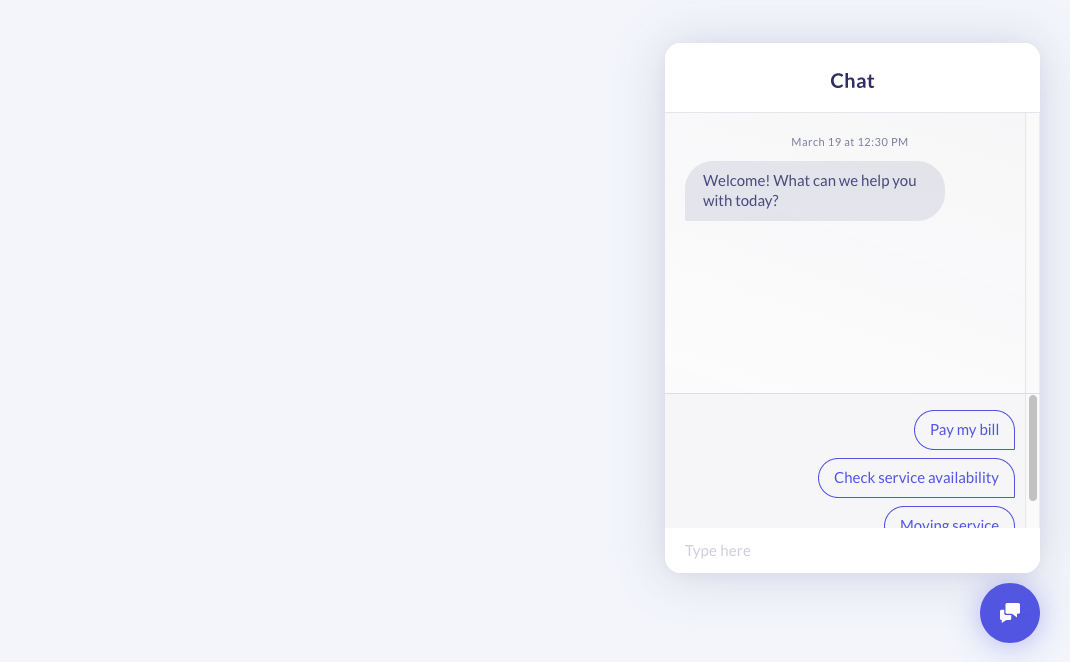
With the above information set, a user will be able to access integrated use cases. If their session or token information has expired, then the user will be presented with a "Sign In" button. Once the user clicks the Sign In button, the Chat SDK will call your provided UserLoginHandler, allowing them to authorize. Here's a sample of what the Sign In button looks like.
 ## Basic Integration (With Authentication)
Integrating the Chat SDK with authenticated users requires the addition of the `CustomerId`, `ContextProvider`, and `UserLoginHandler` keys.
See the [App Settings](/generativeagent/integrate/web-sdk/web-app-settings "Web App Settings") page for more detailed information on their usage. With each of these keys set, a user will be able to access integrated use cases or be capable of logging in if they are not already.
The following code snippet is an example of providing user credentials for allowing a user to enter integrated use cases.
```json theme={null}
document.addEventListener('DOMContentLoaded', function () {
ASAPP('load', {
APIHostname: 'example-co.api.asapp.com',
AppId: 'example-co',
CustomerId: 'hashed-customer-identifier',
ContextProvider: function (callback, tokenIsExpired) {
var context = {
Auth: {
Token: 'secure-session-user-token'
}
};
callback(context);
},
// If a user's token expires or their user credentials
// are not available, handle their login path
UserLoginHandler: function () {
window.location.href = '/login';
}
});
});
```
With the above information set, a user will be able to access integrated use cases. If their session or token information has expired, then the user will be presented with a "Sign In" button.
Once the user clicks the Sign In button, the Chat SDK will call your provided `UserLoginHandler`, allowing them to authorize.
Here's a sample of what the Sign In button looks like.
## Basic Integration (With Authentication)
Integrating the Chat SDK with authenticated users requires the addition of the `CustomerId`, `ContextProvider`, and `UserLoginHandler` keys.
See the [App Settings](/generativeagent/integrate/web-sdk/web-app-settings "Web App Settings") page for more detailed information on their usage. With each of these keys set, a user will be able to access integrated use cases or be capable of logging in if they are not already.
The following code snippet is an example of providing user credentials for allowing a user to enter integrated use cases.
```json theme={null}
document.addEventListener('DOMContentLoaded', function () {
ASAPP('load', {
APIHostname: 'example-co.api.asapp.com',
AppId: 'example-co',
CustomerId: 'hashed-customer-identifier',
ContextProvider: function (callback, tokenIsExpired) {
var context = {
Auth: {
Token: 'secure-session-user-token'
}
};
callback(context);
},
// If a user's token expires or their user credentials
// are not available, handle their login path
UserLoginHandler: function () {
window.location.href = '/login';
}
});
});
```
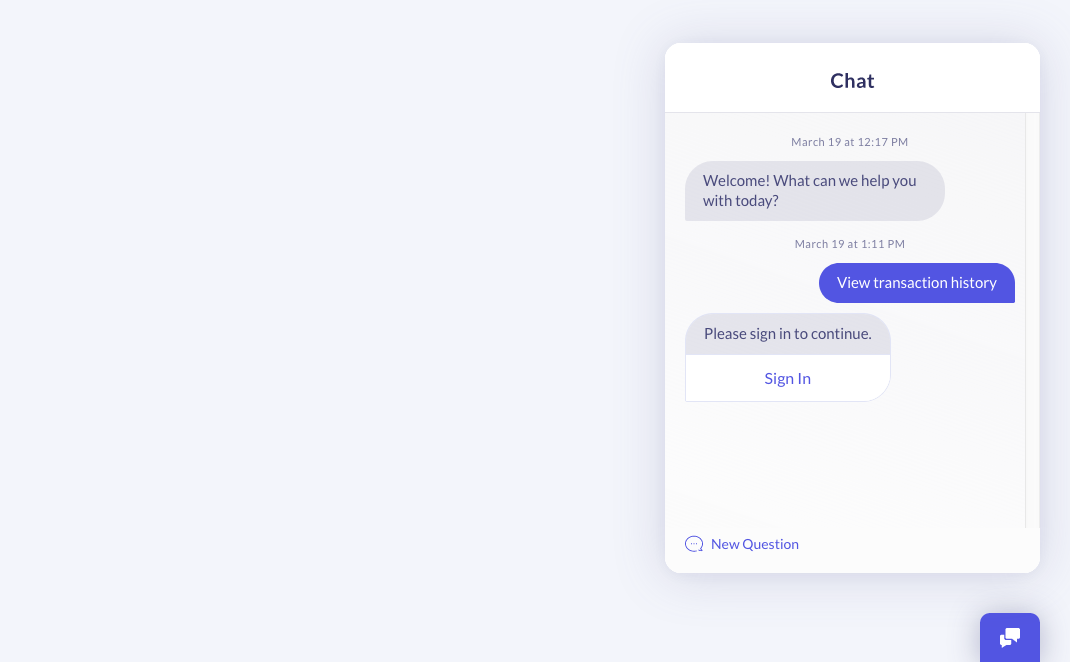
With the above information set, a user will be able to access integrated use cases. If their session or token information has expired, then the user will be presented with a "Sign In" button.
Once the user clicks the Sign In button, the Chat SDK will call your provided `UserLoginHandler`, allowing them to authorize.
Here's a sample of what the Sign In button looks like.
 ## Customizing the Interface
The Chat SDK offers a few basic keys for customizing the interface to your liking.
The `Display` key enables you to perform those customizations as needed. Please see the [Display Settings](/generativeagent/integrate/web-sdk/web-app-settings#display "Display") section for detailed information on each of the available keys.
The following code snippet shows how to add the Display key to your integration to customize the display settings of the Chat SDK.
```json theme={null}
document.addEventListener('DOMContentLoaded', function () {
ASAPP('load', {
APIHostname: 'example-co.api.asapp.com',
AppId: 'example-co',
Display: {
Align: 'left',
AlwaysShowMinimize: true,
BadgeColor: '#36393A',
BadgeText: 'Chat With Us',
BadgeType: 'tray',
FrameDraggable: true,
FrameStyle: 'sideBar'
}
});
});
```
For cases in which you have more specific styling needs, you may utilize the available IDs or classnames for targeting and customizing the Chat SDK elements with CSS.
These selectors are stable and can be used to target the ASAPP Badge and iFrame for specific styling needs.
The following code snippet provides a CSS example showcasing a few advanced style changes.
```json theme={null}
#asapp-chat-sdk-badge,
#asapp-chat-sdk-badge,
#asapp-chat-sdk-badge {
border-radius: 25px;
bottom: 10px;
box-shadow: 0 0 0 2px #fff, 0 0 0 4px #36393A;
}
#asapp-chat-sdk-iframe {
border-radius: 0;
}
```
With the above customizations in place, the Chat SDK Badge will look like the following.
## Customizing the Interface
The Chat SDK offers a few basic keys for customizing the interface to your liking.
The `Display` key enables you to perform those customizations as needed. Please see the [Display Settings](/generativeagent/integrate/web-sdk/web-app-settings#display "Display") section for detailed information on each of the available keys.
The following code snippet shows how to add the Display key to your integration to customize the display settings of the Chat SDK.
```json theme={null}
document.addEventListener('DOMContentLoaded', function () {
ASAPP('load', {
APIHostname: 'example-co.api.asapp.com',
AppId: 'example-co',
Display: {
Align: 'left',
AlwaysShowMinimize: true,
BadgeColor: '#36393A',
BadgeText: 'Chat With Us',
BadgeType: 'tray',
FrameDraggable: true,
FrameStyle: 'sideBar'
}
});
});
```
For cases in which you have more specific styling needs, you may utilize the available IDs or classnames for targeting and customizing the Chat SDK elements with CSS.
These selectors are stable and can be used to target the ASAPP Badge and iFrame for specific styling needs.
The following code snippet provides a CSS example showcasing a few advanced style changes.
```json theme={null}
#asapp-chat-sdk-badge,
#asapp-chat-sdk-badge,
#asapp-chat-sdk-badge {
border-radius: 25px;
bottom: 10px;
box-shadow: 0 0 0 2px #fff, 0 0 0 4px #36393A;
}
#asapp-chat-sdk-iframe {
border-radius: 0;
}
```
With the above customizations in place, the Chat SDK Badge will look like the following.
 ## Advanced Integration
Here's a more robust example showing how to utilize most of the ASAPP Chat SDK settings.
In the examples below we will define a few helper methods, then pass those helpers to the [Load](/generativeagent/integrate/web-sdk/web-javascript-api#load "'load'") or [SetCustomer](/generativeagent/integrate/web-sdk/web-javascript-api#setcustomer "'setCustomer'") APIs.
The following example showcases a [ContextProvider](/generativeagent/integrate/web-sdk/web-contextprovider "Web ContextProvider") that sets some basic session information, then sets any available user authentication information. Once that information is retrieved, it passes the prepared context to the `callback` so that ASAPP can process each Chat SDK request.
The following code snippet is a ContextProvider example utilizing session expiration conditionals.
```javascript theme={null}
function asappContextProvider (callback, tokenIsExpired, sessionInfo) {
var context = {
CustomerInfo: {
Region: 'north-america',
ViewingProduct: 'New Smartphone',
}
};
if (tokenIsExpired || !sessionInfo) {
sessionInfo = retrieveSessionInfo();
};
if (sessionInfo) {
context.Auth = {
Cookies: {
'X-User-Header': sessionInfo.cookies.userValue
},
Token: sessionInfo.access_token
};
}
callback(context);
}
```
The next example shows conditional logic for logging a user in on single or multi-page application. You'll likely only need to handle one of the cases in your application.
If a user enters a use case they are not authorized for, they will be presented with a "Sign In" button within the SDK.
When the user clicks that link, it will trigger your provided [UserLoginHandler](/generativeagent/integrate/web-sdk/web-app-settings#userloginhandler "UserLoginHandler") so you can allow the user to authenticate.
The following code snippet shows a UserLoginHandler utilizing page redirection or modals to log a user in.
```javascript theme={null}
function asappUserLoginHandler () {
if (isSinglePageApp) {
displayUserLoginModal()
.then(function (customer, sessionInfo) {
ASAPP('SetCustomer', {
CustomerId: customer,
ContextProvider: function (callback, tokenIsExpired) {
asappContextProvider(callback, tokenIsExpired, sessionInfo)
}
});
})
} else {
window.location.href = '/login';
}
}
```
The next helper defines the [onLoadComplete](/generativeagent/integrate/web-sdk/web-app-settings#onloadcomplete "onLoadComplete") handler.
It is used for preparing any additional logic you wish to tie to ASAPP or your own page functionality. The below example checks whether the Chat SDK loaded via a [Trigger](/generativeagent/integrate/web-sdk/web-features#triggers "Triggers") (via the `isDisplayingChat` argument).
If it's configured to display, it prepares some event bindings through the [Action API](/generativeagent/integrate/web-sdk/web-javascript-api#action-on-or-off "action: 'on' or 'off'") which in turn call an example metrics service.
The following code snippet shows an `onLoadComplete` handler being used with the isDisplayingChat conditional and Action API.
```javascript theme={null}
function asappOnLoadComplete (isDisplayingChat) {
if (isDisplayingChat) {
// Chat SDK has loaded and exists on the page
document.body.classList.add('chat-sdk-loaded');
var customerId = retrieveCurrentSessionOrUserId();
ASAPP('on', 'issue:new', function (event) {
metricService('set', 'chat:action', {
actionName: event.type,
customerId: customerId,
externalCustomerId: event.detail.customerId,
issueId: event.detail.issueId
})
});
ASAPP('on', 'message:received', function (event) {
metricService('set', 'chat:action', {
actionName: event.type,
customerId: customerId,
externalCustomerId: event.detail.customerId,
isLiveChat: event.detail.isLiveChat,
issueId: event.detail.issueId,
senderType: event.detail.senderType
})
});
} else {
// Chat SDK is not configured to display on this page.
// See Display Settings: Triggers documentation
}
}
```
Finally, we tie everything together. The example below shows a combination of adding the above helper functions to the ASAPP [Load API](/generativeagent/integrate/web-sdk/web-javascript-api#load "'load'").
It also combines many of the [App Settings](/generativeagent/integrate/web-sdk/web-app-settings "Web App Settings") available to you and your integration.
```javascript theme={null}
document.addEventListener('DOMContentLoaded', function () {
var customerId = retrieveCustomerIdentifier();
ASAPP('load', {
APIHostname: 'example-co.api.asapp.com',
AppId: 'example-co',
Display: {
Align: 'left',
AlwaysShowMinimize: true,
BadgeColor: 'rebeccapurple',
BadgeText: 'Chat With Us',
BadgeType: 'tray',
FrameDraggable: true,
FrameStyle: 'sideBar',
Identity: 'subsidiary-branding'
},
Intent: {
Code: 'PAYBILL'
},
RegionCode: 'US',
Sound: true,
CustomerId: customerId,
ContextProvider: asappContextProvider,
UserLoginHandler: asappUserLoginHandler,
onLoadComplete: asappOnLoadComplete
});
});
```
## GenerativeAgent Integration
This example shows a Web SDK integration with GenerativeAgent, including task configuration, input variables, and transfer handling. When ASAPP is your CCaaS, no transfer code is required — the human agent connects directly inside the SDK. When transferring to an external CCaaS, subscribe to the `external:transfer` event to unload the ASAPP SDK and load your provider's chat SDK.
```javascript theme={null}
document.addEventListener('DOMContentLoaded', function () {
var customerId = retrieveCustomerIdentifier();
ASAPP('load', {
APIHostname: 'example-co.api.asapp.com',
AppId: 'example-co',
// Direct GenerativeAgent to the right starting task with customer context
GenAgentTaskName: 'customer_support',
GenAgentInputVariables: {
'current_plan': 'SILVER',
'user_id': customerId
}
});
// Only needed when integrating with a non-ASAPP agent desk
ASAPP('on', 'external:transfer', function (event) {
const { transferType, transcript, transferVariables, referenceVariables } = event.detail;
if (transferType === 'transferToSystem') {
// GenerativeAgent completed its task — hand data off to the next system
handoffToSystem({ transferVariables, referenceVariables });
return;
}
// transferToAgent: tear down the ASAPP SDK and load your agent desk SDK
ASAPP('unload');
loadAgentDeskSdk({ transcript });
});
});
```
## Advanced Integration
Here's a more robust example showing how to utilize most of the ASAPP Chat SDK settings.
In the examples below we will define a few helper methods, then pass those helpers to the [Load](/generativeagent/integrate/web-sdk/web-javascript-api#load "'load'") or [SetCustomer](/generativeagent/integrate/web-sdk/web-javascript-api#setcustomer "'setCustomer'") APIs.
The following example showcases a [ContextProvider](/generativeagent/integrate/web-sdk/web-contextprovider "Web ContextProvider") that sets some basic session information, then sets any available user authentication information. Once that information is retrieved, it passes the prepared context to the `callback` so that ASAPP can process each Chat SDK request.
The following code snippet is a ContextProvider example utilizing session expiration conditionals.
```javascript theme={null}
function asappContextProvider (callback, tokenIsExpired, sessionInfo) {
var context = {
CustomerInfo: {
Region: 'north-america',
ViewingProduct: 'New Smartphone',
}
};
if (tokenIsExpired || !sessionInfo) {
sessionInfo = retrieveSessionInfo();
};
if (sessionInfo) {
context.Auth = {
Cookies: {
'X-User-Header': sessionInfo.cookies.userValue
},
Token: sessionInfo.access_token
};
}
callback(context);
}
```
The next example shows conditional logic for logging a user in on single or multi-page application. You'll likely only need to handle one of the cases in your application.
If a user enters a use case they are not authorized for, they will be presented with a "Sign In" button within the SDK.
When the user clicks that link, it will trigger your provided [UserLoginHandler](/generativeagent/integrate/web-sdk/web-app-settings#userloginhandler "UserLoginHandler") so you can allow the user to authenticate.
The following code snippet shows a UserLoginHandler utilizing page redirection or modals to log a user in.
```javascript theme={null}
function asappUserLoginHandler () {
if (isSinglePageApp) {
displayUserLoginModal()
.then(function (customer, sessionInfo) {
ASAPP('SetCustomer', {
CustomerId: customer,
ContextProvider: function (callback, tokenIsExpired) {
asappContextProvider(callback, tokenIsExpired, sessionInfo)
}
});
})
} else {
window.location.href = '/login';
}
}
```
The next helper defines the [onLoadComplete](/generativeagent/integrate/web-sdk/web-app-settings#onloadcomplete "onLoadComplete") handler.
It is used for preparing any additional logic you wish to tie to ASAPP or your own page functionality. The below example checks whether the Chat SDK loaded via a [Trigger](/generativeagent/integrate/web-sdk/web-features#triggers "Triggers") (via the `isDisplayingChat` argument).
If it's configured to display, it prepares some event bindings through the [Action API](/generativeagent/integrate/web-sdk/web-javascript-api#action-on-or-off "action: 'on' or 'off'") which in turn call an example metrics service.
The following code snippet shows an `onLoadComplete` handler being used with the isDisplayingChat conditional and Action API.
```javascript theme={null}
function asappOnLoadComplete (isDisplayingChat) {
if (isDisplayingChat) {
// Chat SDK has loaded and exists on the page
document.body.classList.add('chat-sdk-loaded');
var customerId = retrieveCurrentSessionOrUserId();
ASAPP('on', 'issue:new', function (event) {
metricService('set', 'chat:action', {
actionName: event.type,
customerId: customerId,
externalCustomerId: event.detail.customerId,
issueId: event.detail.issueId
})
});
ASAPP('on', 'message:received', function (event) {
metricService('set', 'chat:action', {
actionName: event.type,
customerId: customerId,
externalCustomerId: event.detail.customerId,
isLiveChat: event.detail.isLiveChat,
issueId: event.detail.issueId,
senderType: event.detail.senderType
})
});
} else {
// Chat SDK is not configured to display on this page.
// See Display Settings: Triggers documentation
}
}
```
Finally, we tie everything together. The example below shows a combination of adding the above helper functions to the ASAPP [Load API](/generativeagent/integrate/web-sdk/web-javascript-api#load "'load'").
It also combines many of the [App Settings](/generativeagent/integrate/web-sdk/web-app-settings "Web App Settings") available to you and your integration.
```javascript theme={null}
document.addEventListener('DOMContentLoaded', function () {
var customerId = retrieveCustomerIdentifier();
ASAPP('load', {
APIHostname: 'example-co.api.asapp.com',
AppId: 'example-co',
Display: {
Align: 'left',
AlwaysShowMinimize: true,
BadgeColor: 'rebeccapurple',
BadgeText: 'Chat With Us',
BadgeType: 'tray',
FrameDraggable: true,
FrameStyle: 'sideBar',
Identity: 'subsidiary-branding'
},
Intent: {
Code: 'PAYBILL'
},
RegionCode: 'US',
Sound: true,
CustomerId: customerId,
ContextProvider: asappContextProvider,
UserLoginHandler: asappUserLoginHandler,
onLoadComplete: asappOnLoadComplete
});
});
```
## GenerativeAgent Integration
This example shows a Web SDK integration with GenerativeAgent, including task configuration, input variables, and transfer handling. When ASAPP is your CCaaS, no transfer code is required — the human agent connects directly inside the SDK. When transferring to an external CCaaS, subscribe to the `external:transfer` event to unload the ASAPP SDK and load your provider's chat SDK.
```javascript theme={null}
document.addEventListener('DOMContentLoaded', function () {
var customerId = retrieveCustomerIdentifier();
ASAPP('load', {
APIHostname: 'example-co.api.asapp.com',
AppId: 'example-co',
// Direct GenerativeAgent to the right starting task with customer context
GenAgentTaskName: 'customer_support',
GenAgentInputVariables: {
'current_plan': 'SILVER',
'user_id': customerId
}
});
// Only needed when integrating with a non-ASAPP agent desk
ASAPP('on', 'external:transfer', function (event) {
const { transferType, transcript, transferVariables, referenceVariables } = event.detail;
if (transferType === 'transferToSystem') {
// GenerativeAgent completed its task — hand data off to the next system
handoffToSystem({ transferVariables, referenceVariables });
return;
}
// transferToAgent: tear down the ASAPP SDK and load your agent desk SDK
ASAPP('unload');
loadAgentDeskSdk({ transcript });
});
});
```