> ## Documentation Index
> Fetch the complete documentation index at: https://docs.asapp.com/llms.txt
> Use this file to discover all available pages before exploring further.
# Quality Reports (ASAPP Score)
> Monitor and improve GenerativeAgent quality with an automated score for every conversation.
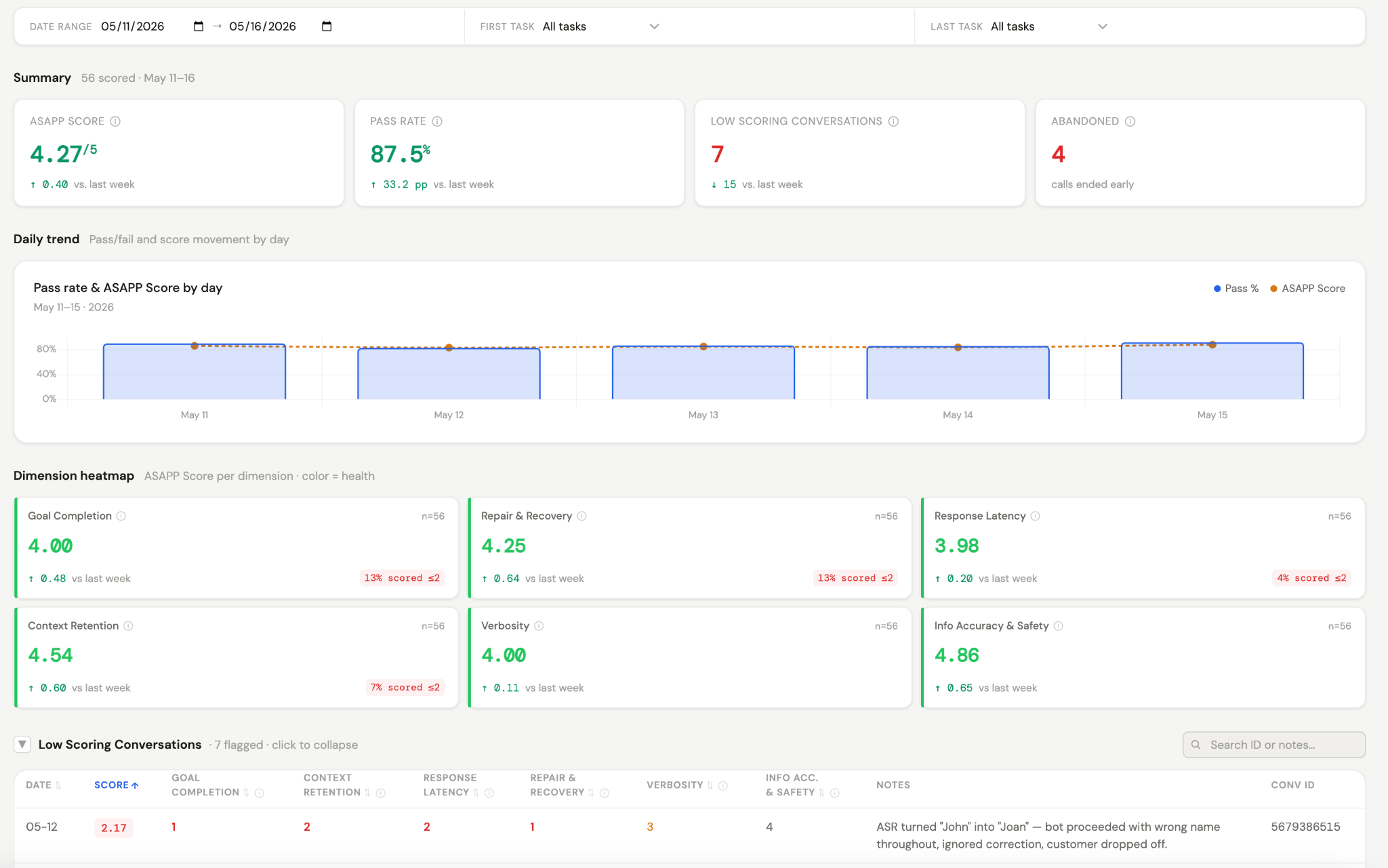
Quality Reports (ASAPP Score) is a single place to monitor and improve GenerativeAgent's performance and quality. Every conversation is automatically scored against a standardized rubric.
Use Quality Reports to spot quality patterns early and track measurable progress over time.
## How it works
Scores roll up into a daily report that shows:
* The daily ASAPP Score and pass/fail rate
* A dimension heatmap showing where issues are concentrated
* Trends for each scoring dimension over time
* Low-scoring conversations, surfaced for immediate review
## Scoring dimensions
Each conversation is scored across six dimensions on a 1 to 5 scale, where 5 is excellent and 1 is a fundamental breakdown. Each dimension carries a weight, and the final ASAPP Score is the weighted average of all six.
| Dimension | What it measures |
| :- | :- |
| **Information Accuracy and Safety** | Whether everything GenerativeAgent said was factually correct and safe |
| **Context Retention** | Whether GenerativeAgent carried information forward instead of making the caller repeat themselves |
| **Goal Completion** | Whether the caller accomplished what they called about |
| **Repair & Recovery** | Whether GenerativeAgent handled unexpected moments smoothly |
| **Verbosity** | Whether responses were concise |
| **Tone Appropriateness** | Whether the tone fit the context |
A conversation passes if it scores 3.5 or above. Anything lower is flagged for review.
## View the report
Sign in to CXP and select **Dashboards** under the **Monitor** section of the left-hand menu, then open the **Quality Reports (ASAPP Score)** dashboard.
 ## Next steps
Consider exploring the following evaluators for more in-depth analysis:
Monitor and review conversations for compliance and quality assurance using GenerativeAgent.
Spot and review customer goals not being met during GenerativeAgent interactions.
## Next steps
Consider exploring the following evaluators for more in-depth analysis:
Monitor and review conversations for compliance and quality assurance using GenerativeAgent.
Spot and review customer goals not being met during GenerativeAgent interactions.