

Customization
Virtual Agent is fully customizable to fit your brand’s unique needs. This includes:- Determining the list of Intents and how they are routed.
- Advanced flows to take in structured and unstructured input.
- Reach out to APIs to receive and send data.
Access
You configure the Virtual Agent through the AI-Console. To access AI-Console, log into Insights Manager, click on your user icon, and then Go to AI-Console. This option becomes available only if your organization grants you permission to access AI-Console.How It Works
The Virtual Agent understands what customers say and transforms it into structured data that you can use to define how the Virtual Agent responds. This is accomplished via the following core concepts and components:Intents
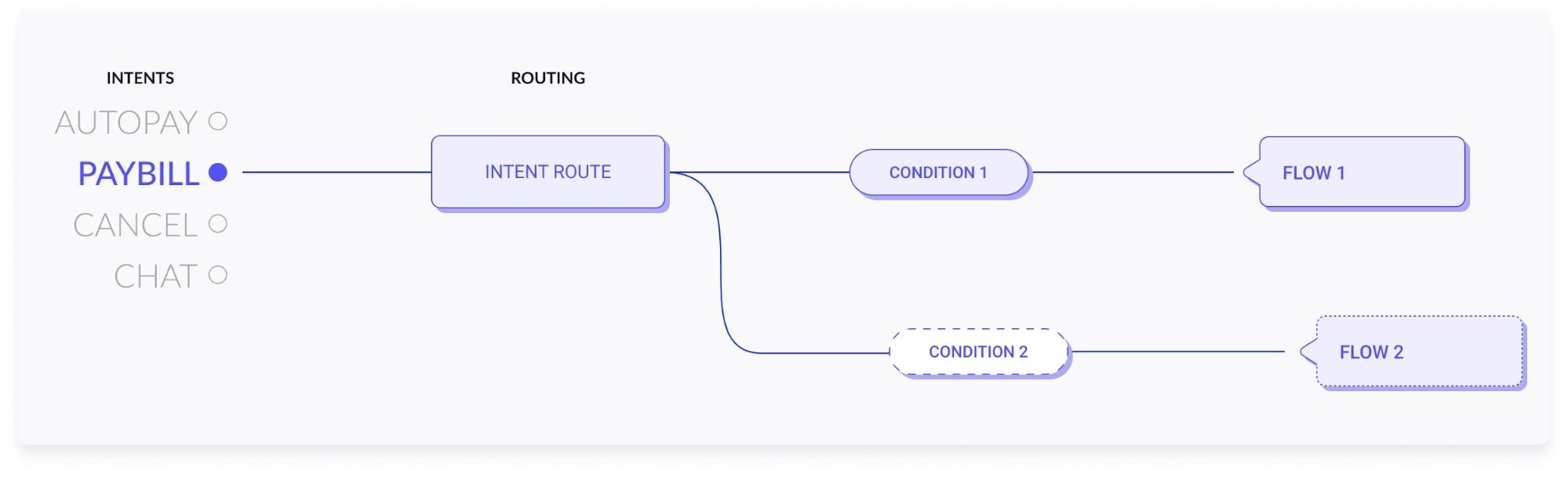
The Virtual Agent recognizes Intents when customers first reach out, representing the set of reasons that customers might contact your business. The Virtual Agent can also understand when a user changes intent in the middle of a conversation (see: digressions). Our teams can work with you to refine your intent list on an ongoing basis and train the Virtual Agent to recognize them. Examples include requests to “Pay Bill” or “Reset Password”. Once the Virtual Agent recognizes an intent, you can use it to determine what happens next in the dialog.Intent Routes
Once the Virtual Agent has recognized an intent, the next question is “so what?”. Intent routes house the logic that determines what will happen after the Virtual Agent recognizes an intent.- Once the Virtual Agent classifies a customer’s intent, the default behavior places the customer in an agent queue
- Alternatively, you can use an intent route to specify a pre-defined flow for the Virtual Agent to execute, which can collect additional information, offer solutions, or link customers out to self-serve elsewhere.
- To promote flexibility, intent routes can point to different flows based on conditional logic that uses contextual data, like customer channels.
Intent Routing
For a comprehensive breakdown of the intent list and routes, please refer to the Intent Routing Selection.
Flows
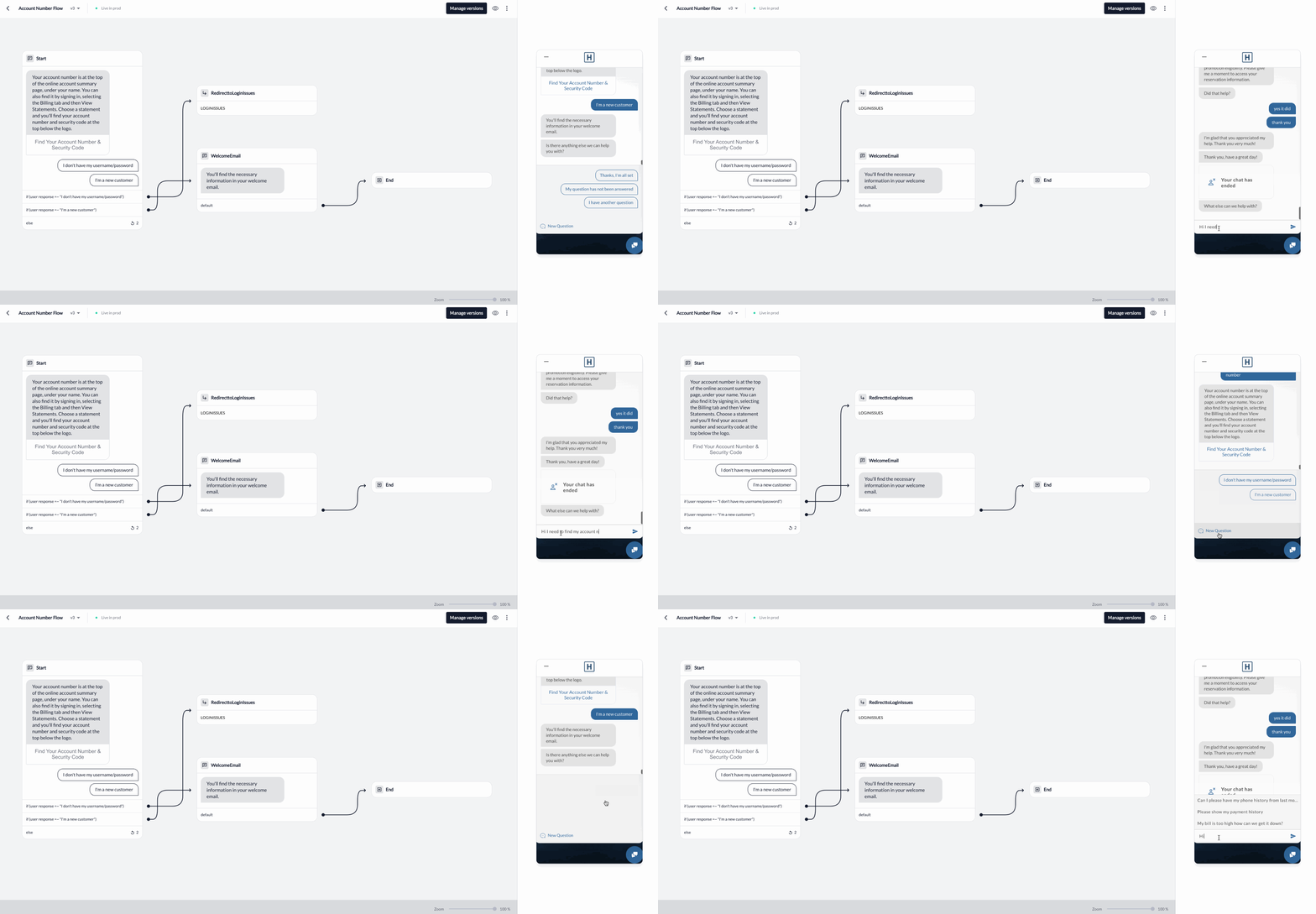
Flows define how the Virtual Agent interacts with the customer given a specific situation. They can be as simple as an answer to an FAQ, or as complex as a multi-turn dialog that offers self-service recommendations. You build flows through a series of nodes that dictate the flow of the conversation as well as any business logic it needs to perform. Once you build them, flows can reach through intent routing, or redirect from other flows.Flows
For more information on how flows are built, see our Flow Building Guide
Core Dialog
While much of what the Virtual Agent does is customized in flows, some fundamental aspects are driven by the Virtual Agent’s core dialog system. This system defines the behavior for:- Welcome experience: The messages that the system sends when someone opens a chat window, or receives a first message.
- Disambiguation: How the Virtual Agent clarifies ambiguous or vague initial utterances.
- Digressions: How the Virtual Agent handles a new path of dialog when customer expresses a new intent.
- Enqueuement & waiting: How the Virtual Agent transitions customers to live chat, including enqueuement, wait time, & business hours messaging.
- Post-live-chat experience: What the Virtual Agent does when a customer concludes an interaction with a Live agent.
- Error handling: How the Virtual Agent handles API errors or customer responses it doesn’t recognize.
Access Baseflows: This permission allows users to only view the Core Dialog section in the AI Console.Create & Edit Baseflows: This permission allows users to create and edit Core Dialog flows in the AI Console.
Flow Nodes
You build flows through a series of nodes that dictate the flow of the conversation as well as any business logic it needs to perform.- Response Node: The most basic function of a flow is to define how the Virtual Agent should converse with the customer. This accomplishes the task through response nodes which allow you to configure Virtual Agent responses, send deeplinks, and classify what customers say in return.
- Login Node When building a flow, you may want to force users to login before proceeding to later nodes in a flow. You accomplish this by adding a login node to your flow that directs the customer to authenticate in order to proceed.
- API Node If the virtual agent has available API integrations, you can leverage those integrations to display data dynamically to customers and to route to different responses based on what the API returns. API nodes allow for the retrieval of data fields and the usage of that data within a flow.
- Redirect Node Flows also have the ability to link to one another through the use of redirect nodes. This is powerful in situations where the same series of dialog turns appear in multiple flows. Flow redirects allow you to manage those dialog turns in a single location that is referenced by many flows.
- Agent Node In cases where the flow is unable to address the customer’s concern on its own, an agent node is used to direct the customer to an agent queue. The data associated with this customer will be used to determine the live agent queue to put them in.
- End Node When your flow has reached its conclusion, an end node wraps up the conversation by confirming whether the customer needs additional help.