

Pre-requisites
- ASAPP iOS SDK 9.4.0 or later, correctly configured and initialized see more here.
Getting Started
Once you’ve successfully configured and initialized the ASAPP SDK, you can start using Chat Instead for iOS.-
Create a New Instance.
-
Implement two functions that the
ASAPPChannelDelegaterequires:ASAPP calls this if an error occurs while trying to open a channel.This opens the ASAPP chat. You should use one of these methods:orto present or push the view controller instance that ASAPP returned. This means that you must present/push the ASAPP chat view controller insidedidSelectASAPPChatChannel().
ASAPP highly recommends initializing
ASAPPChatInsteadViewController as early as possible for the best user experience.func shouldOpenChannel(_ channel: ASAPPChannel) -> Bool and returning false.
-
Show the
chatInsteadViewControllerinstance by using:
Only presentation works. Pushing the
chatInsteadViewController instance does not work and causes unexpected behavior.Support for iPad
For the best user experience, you should configure popover mode, which is used on iPad. Use the.popover presentation style and set both the sourceView and sourceRect properties following Apple’s conventions:
If you set
modalPresentationStyle to .popover and forget to set sourceView and sourceRect, the application will crash in runtime. So please be sure to set both if you’re using the popover mode.Customization
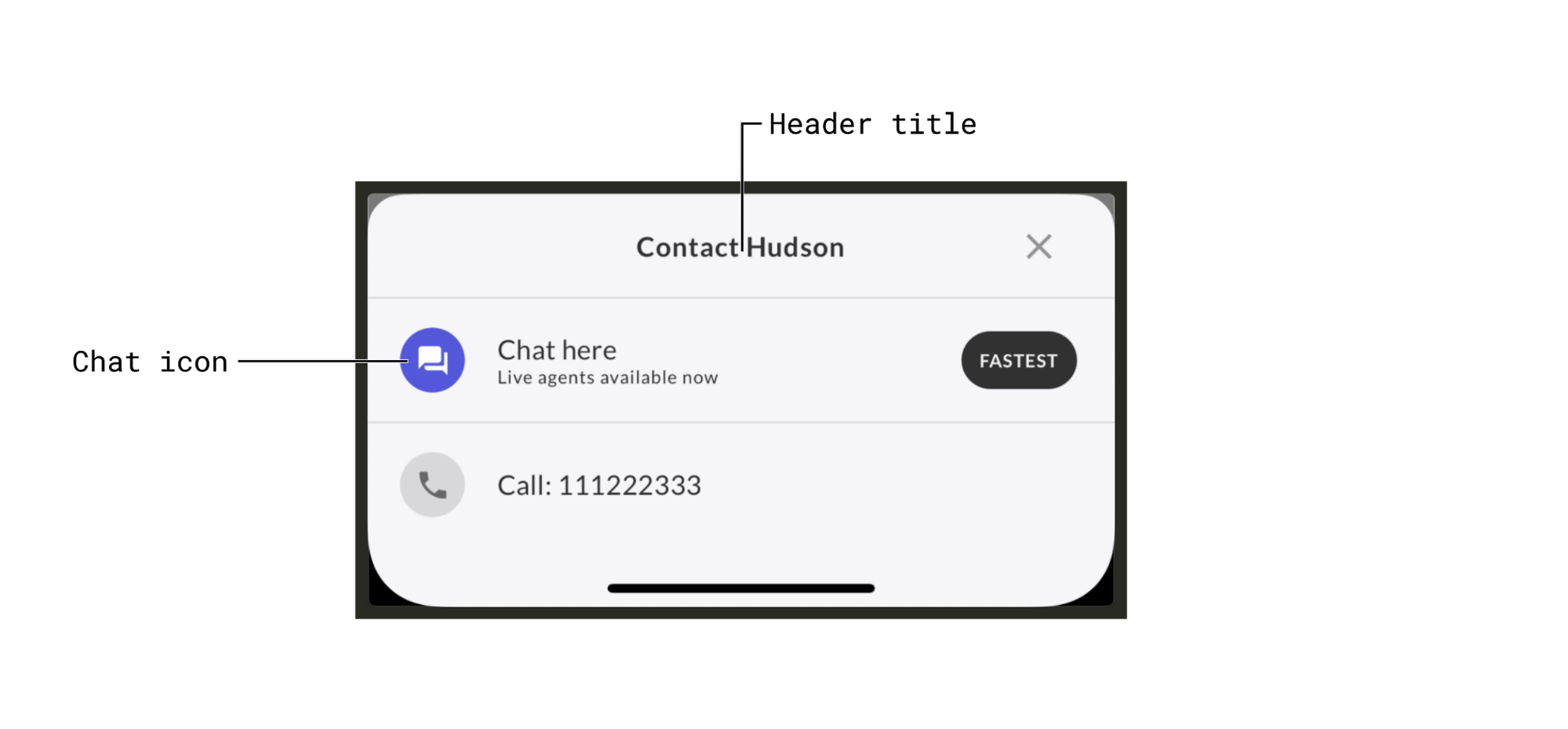
You can customize the Chat Instead header title and the chat icon when creating theASAPPChatInsteadViewController instance. (See Getting Started.
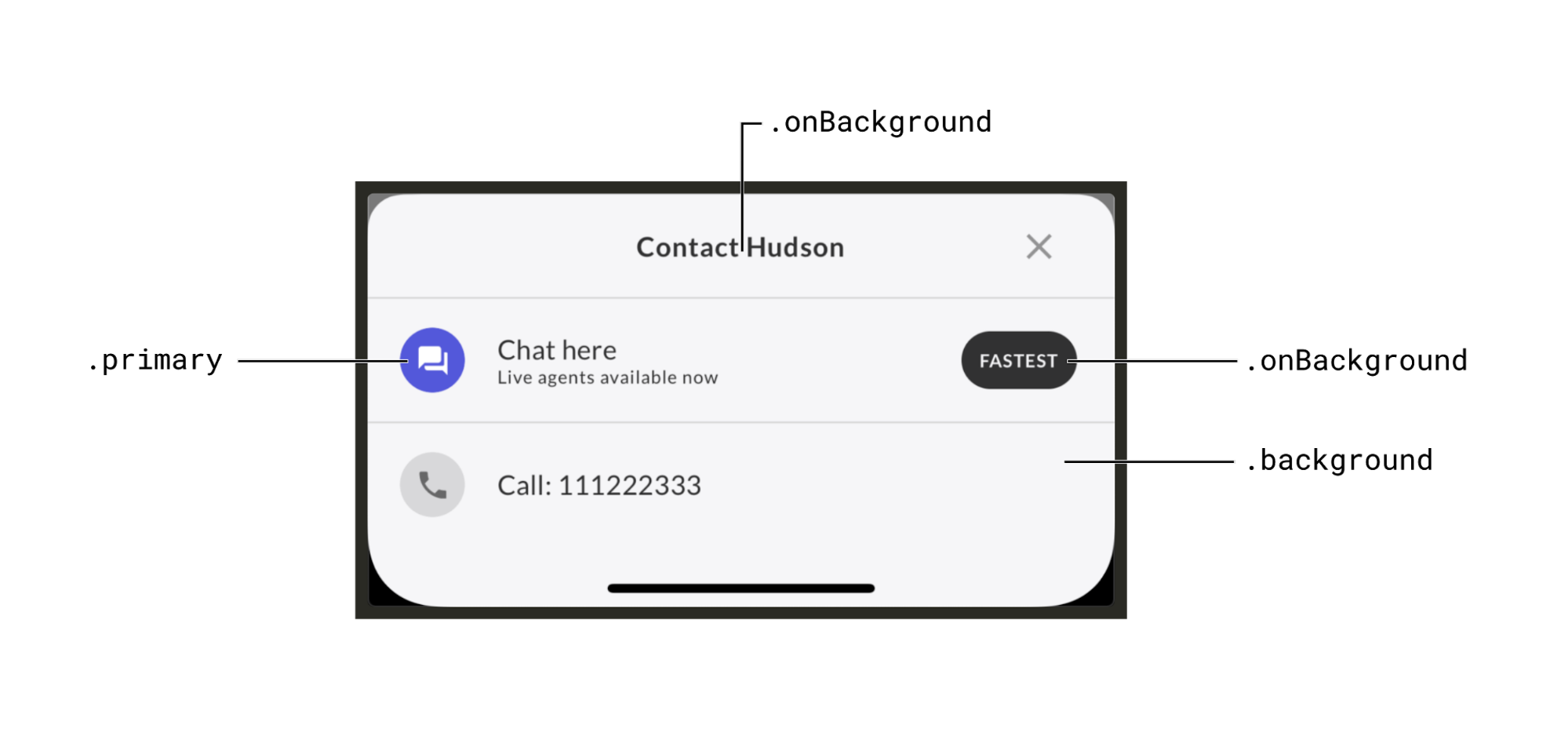
ASAPPChatInsteadViewController uses ASAPPColors for styling, so it will automatically use the colors set there (e.g. primary, background, onBackground, etc.), which are the same colors used for customizing the ASAPP chat interface. There is no way to independently change the styling of the Chat Instead UI.
Remote settings
When you create an instance ofASAPPChatInsteadViewController, it automatically fetches remote settings to indicate which channels to display. You can configure these settings.
These remote settings override local ones (i.e. the ones you pass in when creating the
ASAPPChatInsteadViewController instance).