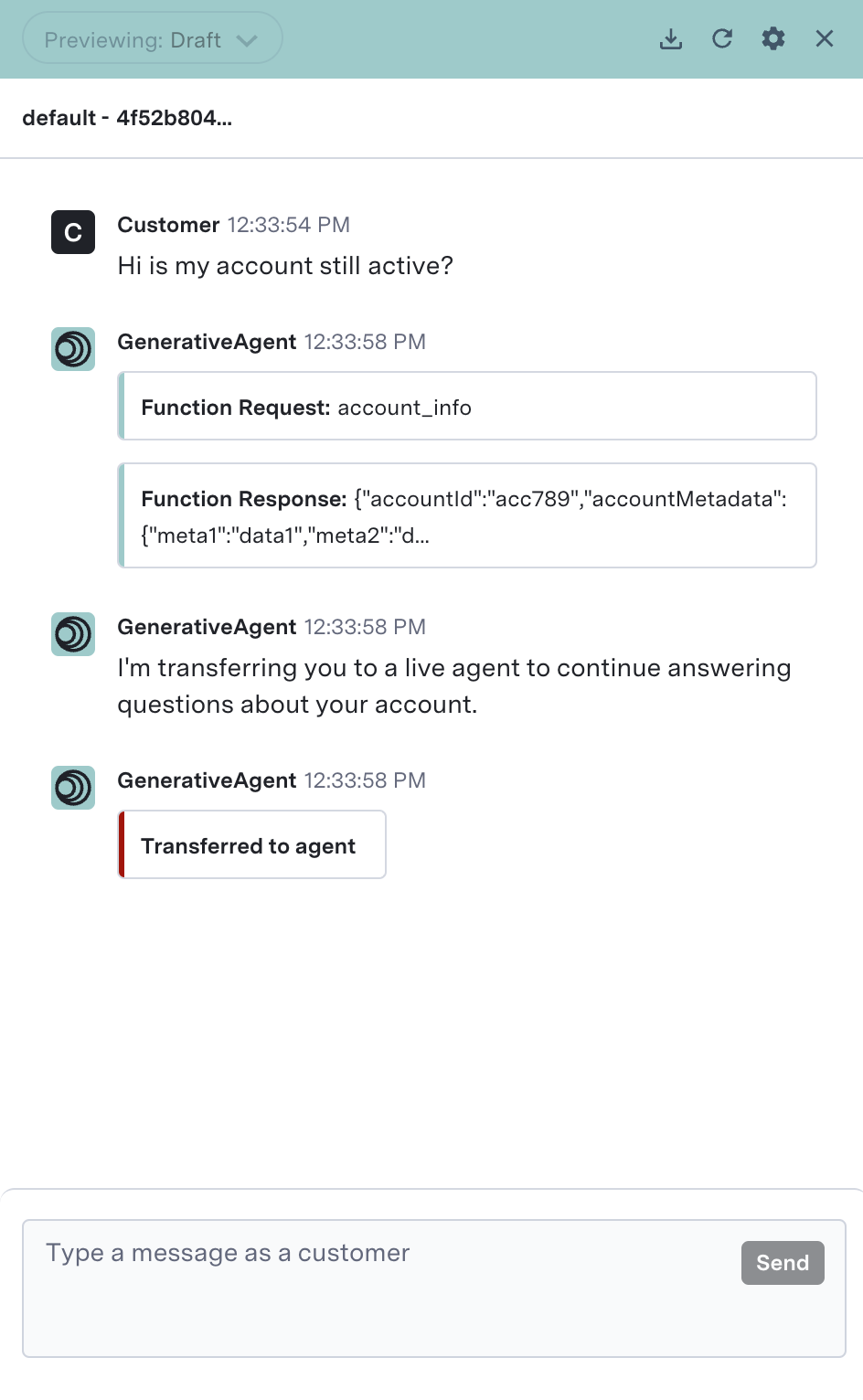
- Ensure GenerativeAgent called the function properly given the conversation context.
- Ensure GenerativeAgent interpreted the function response and responded to the customer correctly.
- Be protected from unknown API response variations that you might not have accounted for during development and testing.
Trial mode is distinct from A/B testing. Trial mode intends to ensure a function works correctly, not to compare outcomes between two functions or versions.
Using Trial Mode
Enable trial mode on functions when you want to observe how GenerativeAgent would use that function in production by forcing escalation to a live agent immediately before or after the function is called. For example, suppose a new use case allows GenerativeAgent to check a customer’s refund eligibility and then issue a refund if eligible. An admin may want to gate this new task using two functions:- Checking the refund eligibility; and then
- Issuing the refund.
Example Two phase trial mode
An admin can configure trial mode in two phases for this use case. Phase 1 An admin can configure GenerativeAgent to call the first function (checking refund eligibility), but then immediately escalate to a live agent to continue resolving the customer’s issue. This allows admins to observe how GenerativeAgent calls the refund eligibility function and how it would have interpreted and communicated the function response back to the customer. Phase 2 For the second function (issuing the refund), an admin can configure GenerativeAgent to escalate to a live agent before the system calls the function, as this type of function actually performs an action in a backend system. Configuring trial mode to escalate before the system calls the function allows admins to observe how GenerativeAgent would have called the function. In both scenarios, trial mode lets admins observe how GenerativeAgent would have performed on production data before allowing GenerativeAgent to use the function responses to interact with the customer.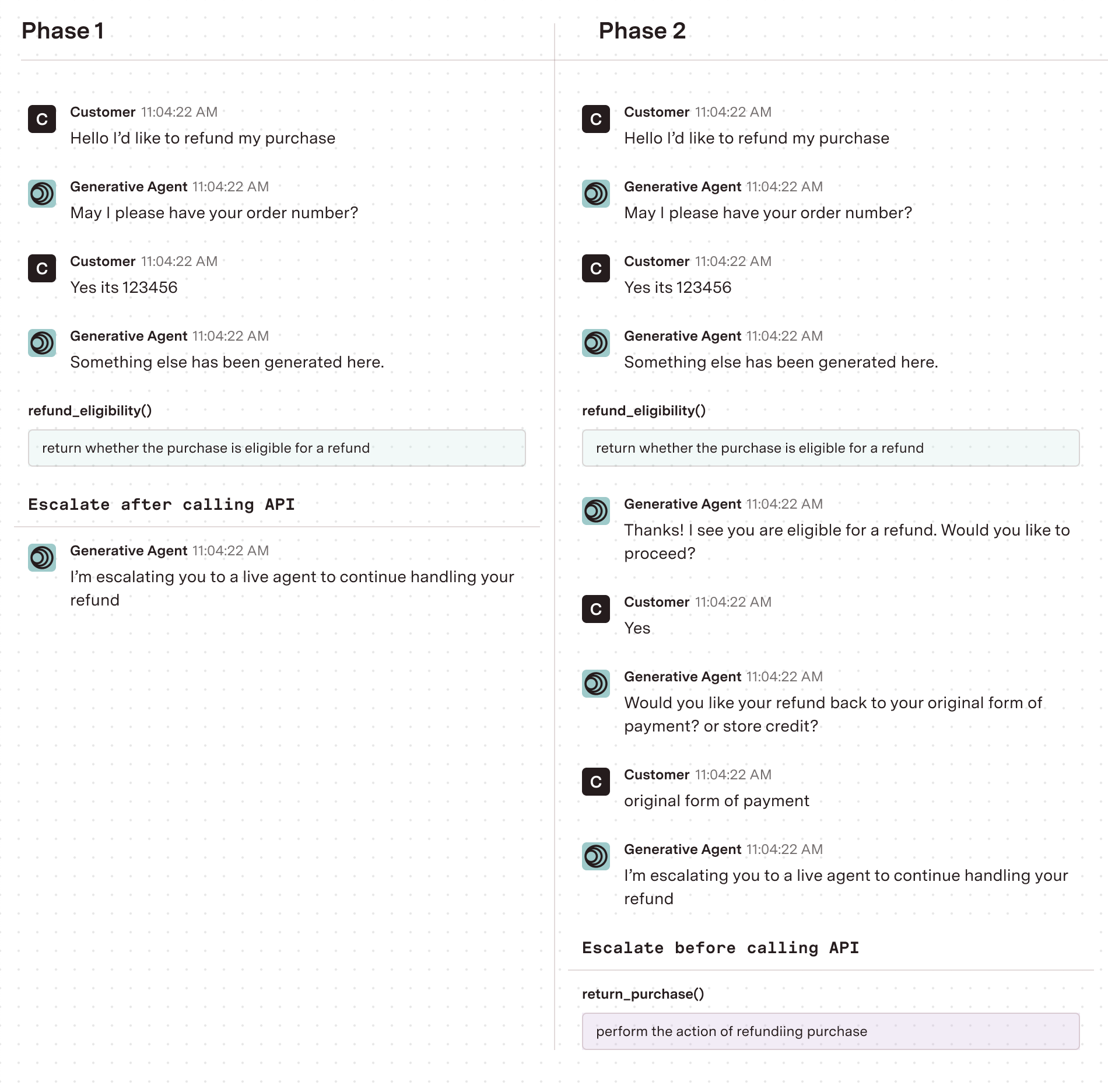
Deciding to deploy a function
You can turn off trial mode and fully deploy the function when you have gathered sufficient data and confidence that GenerativeAgent is correctly calling the function and interpreting its responses. Determine this by monitoring the escalations, reviewing how GenerativeAgent would have handled the interactions, and ensuring that there are no significant issues or undesired behaviors.Toggle Trial Mode
By default, trial mode is toggled off. When you want to enable trial mode for a function, click the toggle.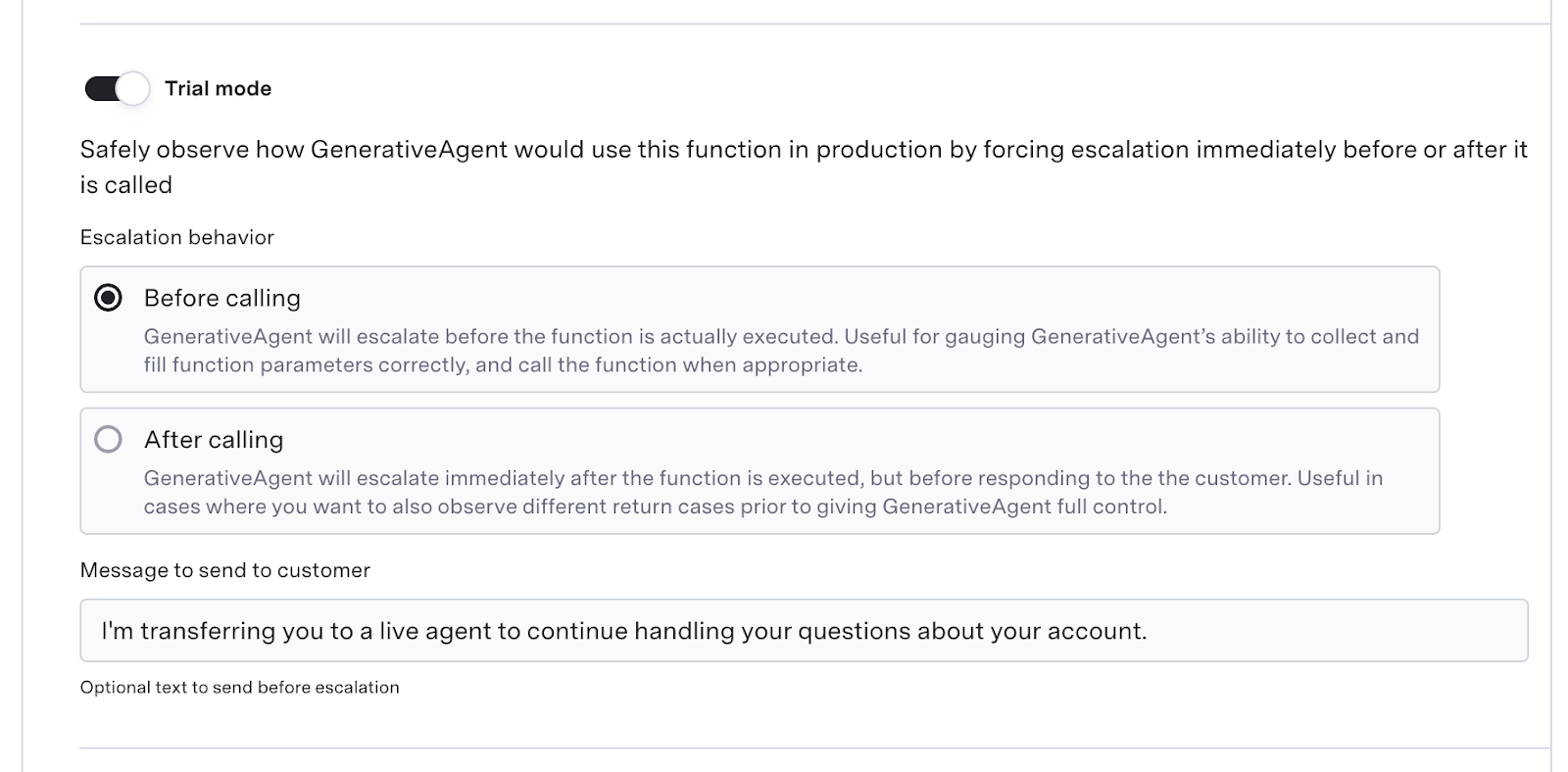
- Escalation behavior:
- Before Calling: GenerativeAgent will escalate to a live agent before calling the function. This allows you to see what GenerativeAgent would have called the function.
- After Calling: GenerativeAgent will call the function, but then escalate to an agent before responding to the customer.
- Message to send to customer: The message that will be sent to customer before escalation. Can be left blank to not send a dedicated message.
Evaluate behavior in Previewer
When you activate trial mode, you can see the trial behavior in the Previewer.Escalate Before Call
When you toggle trial mode on and configure it to escalate before the system calls the function, you can see the example function request GenerativeAgent would have made before the “Transferred to agent” event.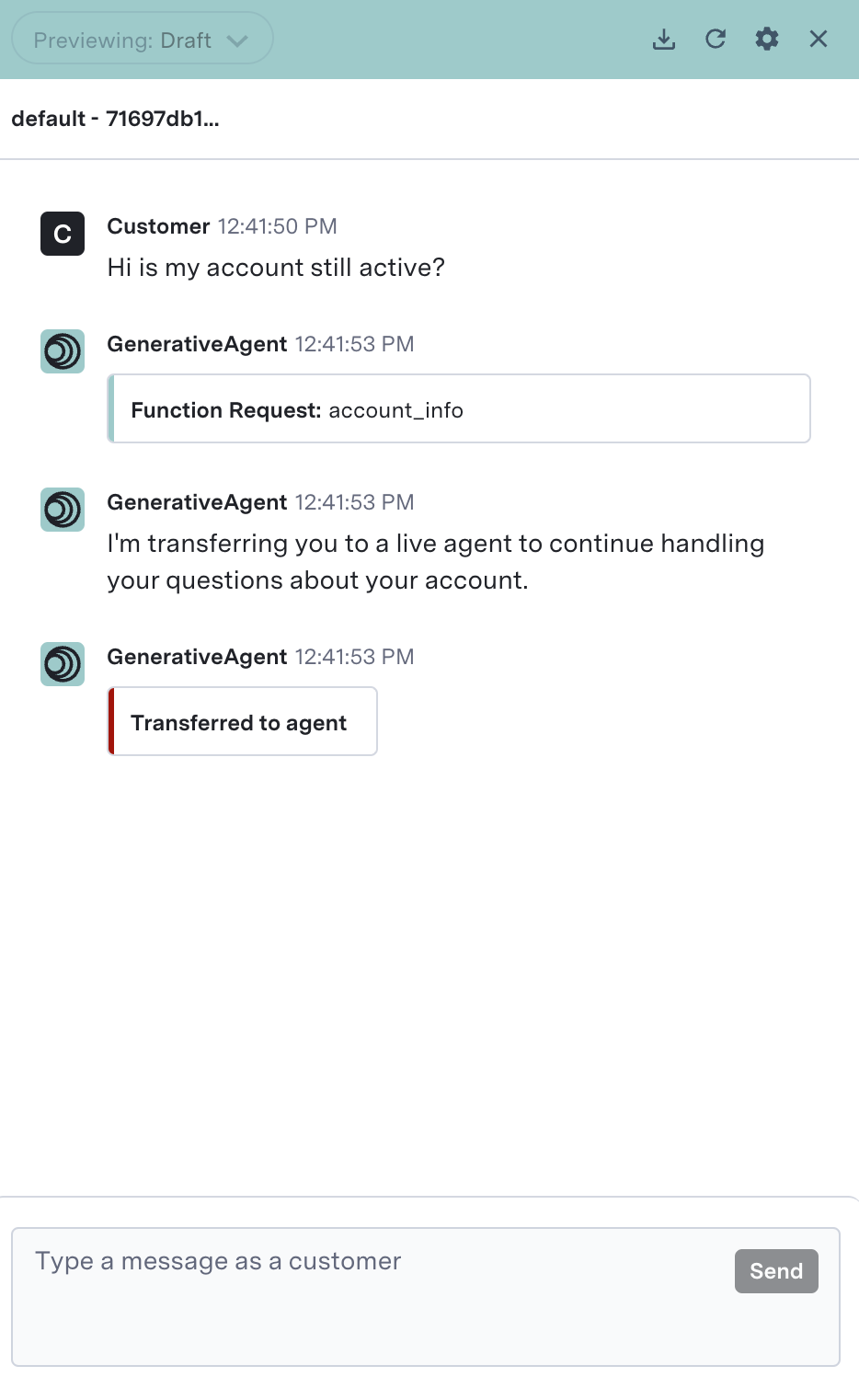
Escalate After Call
When you toggle trial mode on and configure it to escalate after the system calls the function, GenerativeAgent will call the function, and then escalate to an agent.