

Principles for writing effective structured data
Even though SD questions are created in a defined way to elicit Yes/No responses, the model also outputs “Not Found” values for information that is genuinely absent from the transcripts.
- Binary answers: Questions must elicit Yes/No responses unless the data is truly unavailable or the question is inapplicable. (e.g., Did the customer mention an issue with the website?)
- Neutral language: Avoiding bias and the use of complex phrasing can help better understand the questions. (e.g., Did the agent schedule a follow-up call?)
- Observable evidence: Questions must be based on verifiable information present in the conversation. (e.g., Did the customer apply for a credit card?)
- Domain-agnostic framing: Use language applicable to any customer service interaction regardless of industry. (e.g., Was the issue the customer contacted about resolved?)
- Avoid redundancy: Each question should cover a unique aspect of the conversation. (e.g., Did the customer request to dispute any transaction?)
Best practices
To create high-quality Structured Data, follow these guidelines.Do
- Write in plain, simple language
- Ask one thing at a time
- Make questions easy to verify from the conversation
- Keep wording objective
Avoid
- Vague wording
- Subjective interpretation
- Questions with multiple parts
- Overlapping questions that measure the same concept
- Assumptions not supported by the interaction
- Conditional “if then” cases (currently not supported)
Better vs. less effective examples
The stronger version is always clearer, more observable, and more consistent.
Quick start framework
Use the following framework to create your own Structured Data set.1
Define your objective
What do you want to measure?Examples: Issue resolution, customer dissatisfaction, refund behavior, cancellation risk, upsell opportunities, repeat contacts.
2
Convert the objective into a clear question
Ask something that can be answered from the conversation itself.
Objective: Track escalation
Question: Did the customer ask to speak to a supervisor or manager?
3
Select the answer type
Choose the format that best fits the field.
- SD questions: Yes/No for events or behaviors
- Entities:
- Text for names or descriptions
- Date for dates
- Amount for charges, refunds, or credits
- String for IDs such as order numbers
4
Review for clarity
Ask:
- Is the question easy to understand?
- Can it be answered consistently?
- Is it different from the other questions?
Before you begin
Before configuring Structured Data, ensure you have access to the CX with the necessary permissions to manage Structured Data settings.Configure structured data questions / entities
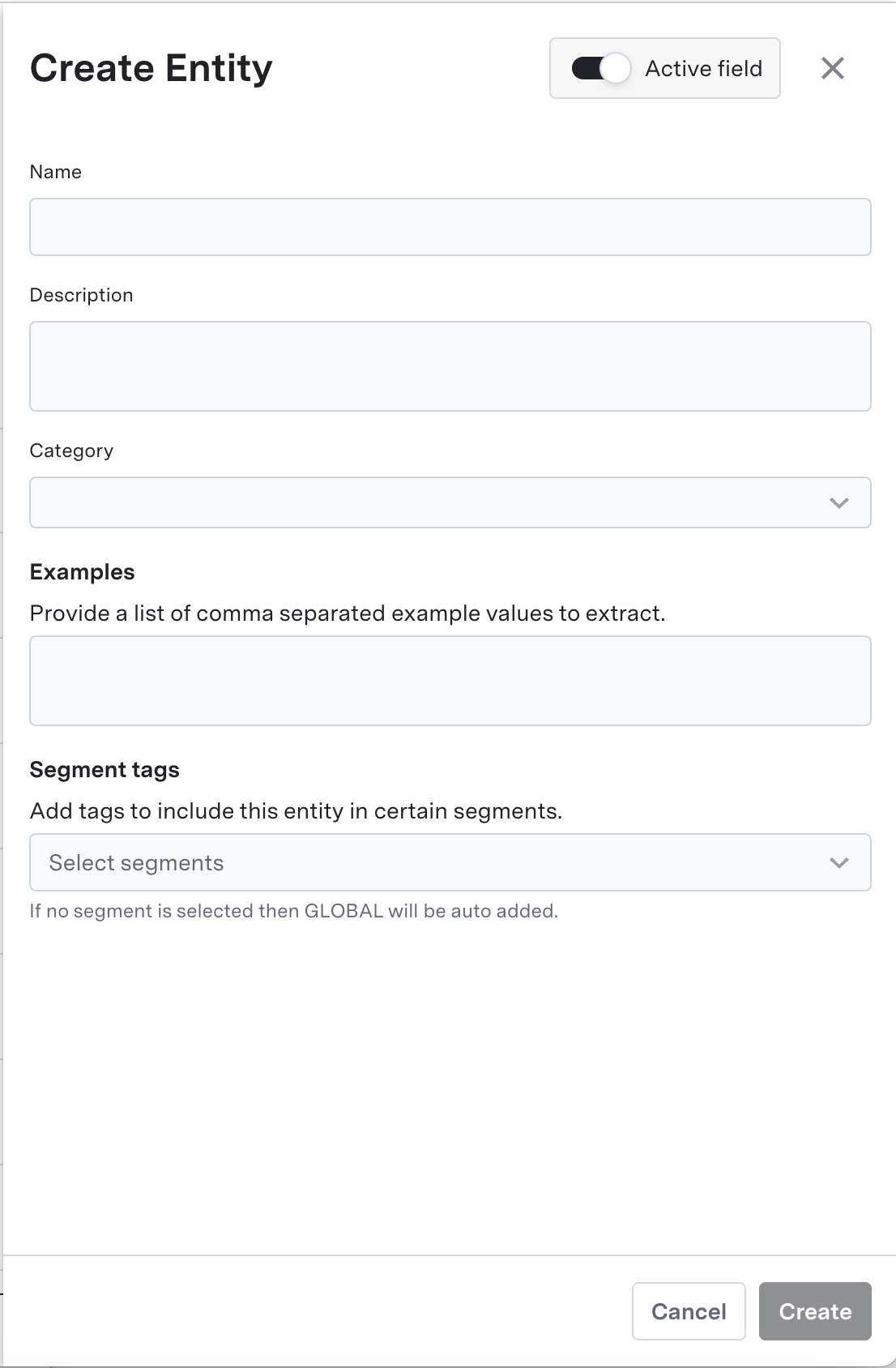
To add new structured data questions or entities, navigate to the Structured Data tab under the AI Summary section in the AI Console sidebar and click the Create button in the top-right corner. Then, follow the steps below to configure your new structured data question or entity.1
Add the Name of the SD question / entity
The Name should be simple and precise and can be used to identify the question.
This section has a character limit of 150.
2
Add the description for the SD question / entity
Be as clear and descriptive of the question as possible to get the most accurate results.
This section has a character limit of 200.
3
Select the Category of the SD question / entity
Categories are structural groupings designed to logically organize and consolidate Structured Data questions. By sorting questions into distinct buckets, categories streamline data management and improve accessibility.AI Console currently contains the following category buckets:
4
Add Examples for entities
For entities, you can add a variety of examples of the values to be captured by the model for the most accurate results.For an entity like Date of Birth or Purchase Date, you can add unique examples of how the customer might provide that information:
This section has a character limit of 1000.
- 11/23/1996
- May first twenty twenty five
- July 4th 2k18
5
Add a Segment tag to the SD question / entity (optional)
A Segment is a resource that allows users to control which structured data fields are extracted for different types of conversations.When extracting data from a conversation, the structured data system will:
- Check which segments’ queries match the conversation’s metadata
- Only extract the structured data fields associated with matching segments
When SD questions are not added to newly created segments, they are automatically added to the Global Segment.
Retrieving structured data
To access and extract Structured Data for your analyses, you can use either of the following methods:- User interface: Review the associated SD tags by navigating to the Conversation Explorer, selecting an individual conversation, and clicking the Structured Data tab on the right-hand panel. You can also view extracted structured data under the Historical Data section within the AI Console interface, and download it as a report in either CSV or PDF format.
- API: Programmatically fetch extracted Structured Data for a conversation using the Retrieve Structured Data API.
- BI system integration: For automated, large-scale extraction, route Structured Data tags directly into your internal Business Intelligence platforms by configuring a data pipeline to ASAPP’s S3 bucket. Contact your ASAPP account team to enable this feature.
Successfully created Structured Data returns extracted data within 24 hours.
Next steps
Segments and customization
learn how to use Segments to control which SD questions are extracted for different types of conversations