

- Agent status
- Handle and response time performance
- Agent utilization
How to Access Agent Data
You can access agent performance data from the ‘Performance’ page.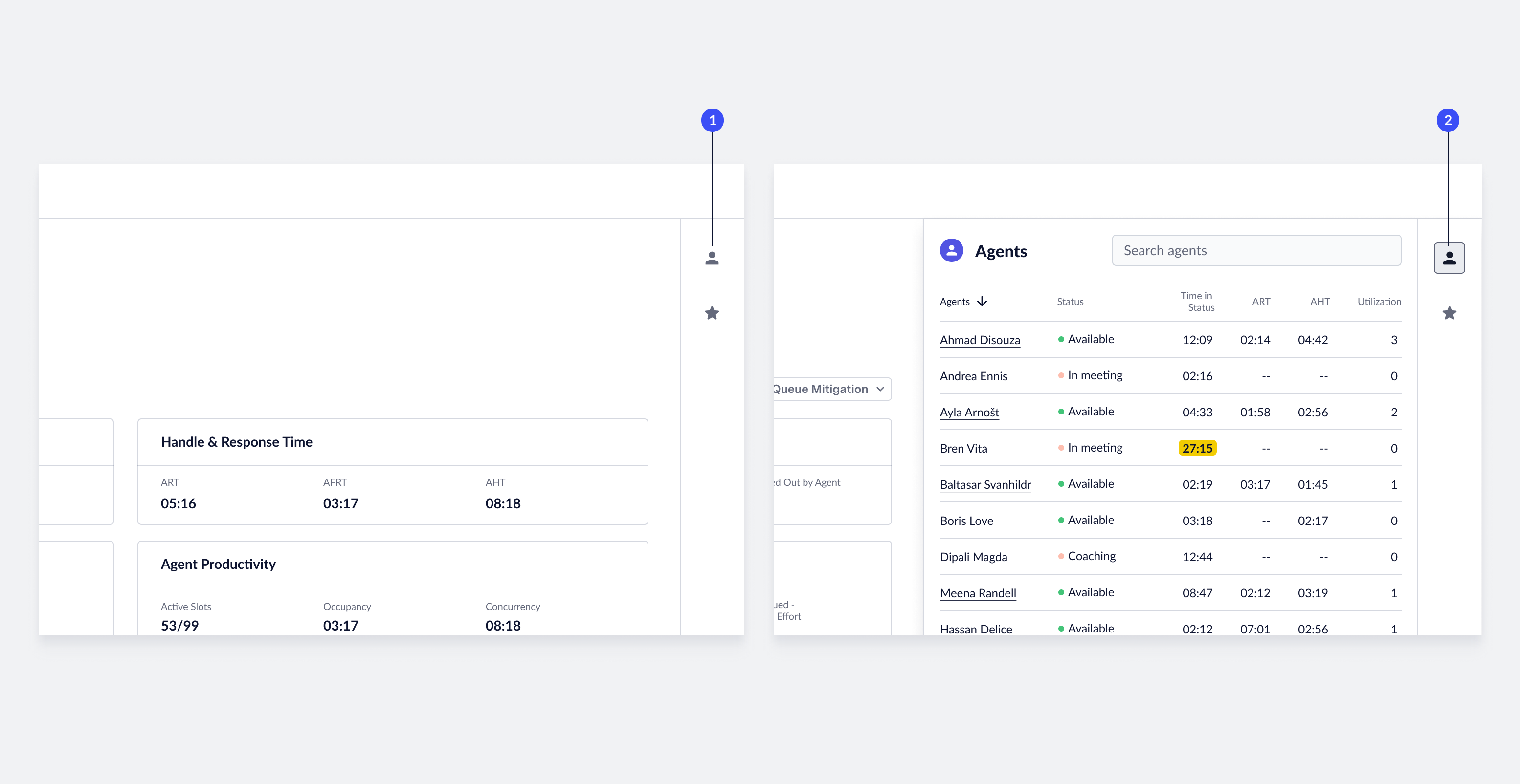
- Open agent panel: To view agent performance data, click the Agent icon on the right-side of the screen. The system opens a panel that contains a list of all agents currently logged into the queue.
- Close agent panel: To close the agent panel, click the close icon.
Agent Real-time Performance Data
Live Insights automatically updates performance data related to agents in real-time every 15 seconds.Search for Agents & Sort Data
ASAPP provides tools to organize and find the right content. You can search for a specific agent name or sort the data based on current performance.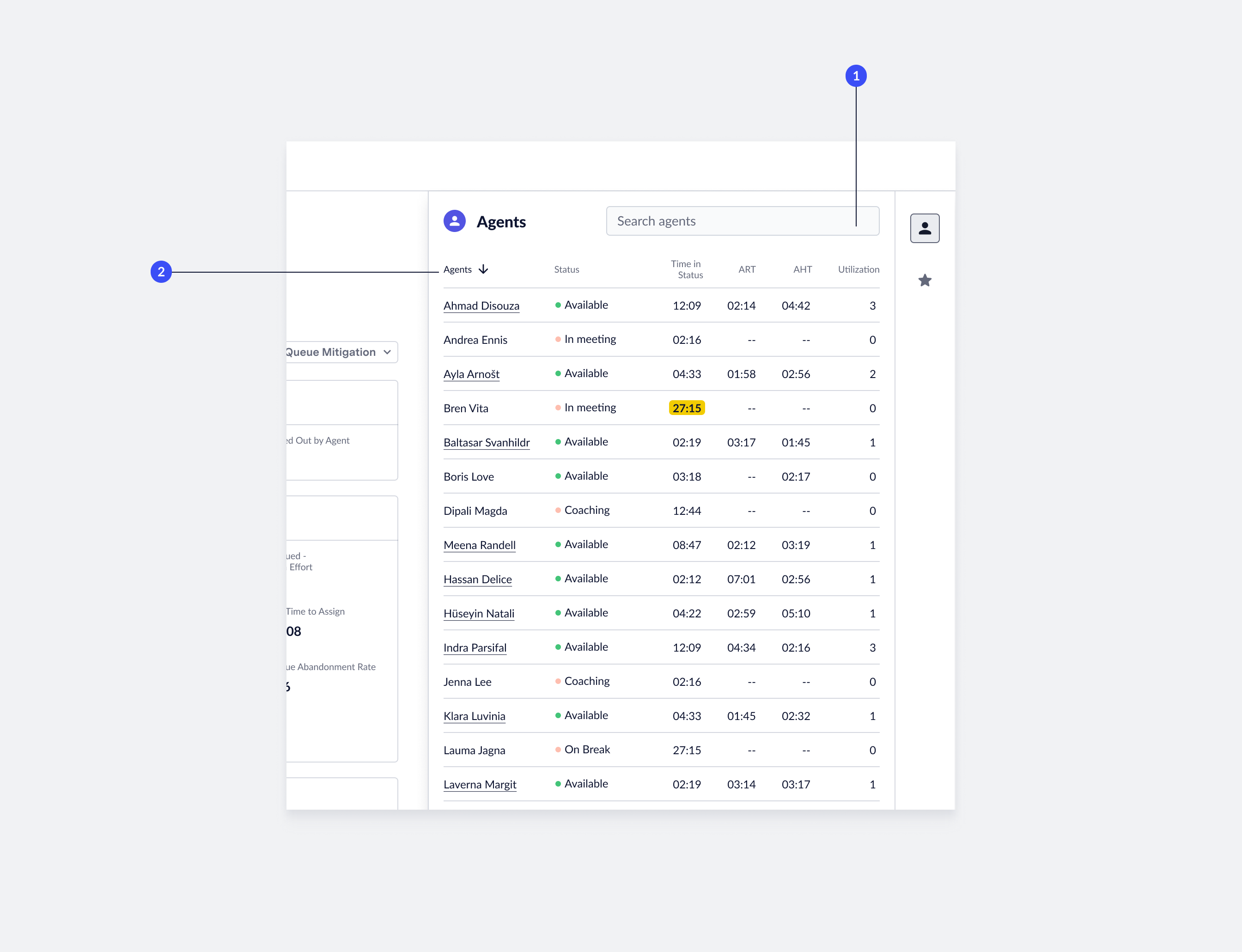
- Find agents: To find a specific agent, enter the agent name in the search field. The list of agents will filter down to the relevant results. To remove the query, delete the agent name from the search field.
- Sort agents: You can use each column in the agent panel to sort content. Default: the system sorts the list by agent name. To sort by a different metric, click the column name. To change the sort order, click the active column name.
View Agent Transcripts
You can access live agent transcripts from the ‘Agent’ panel.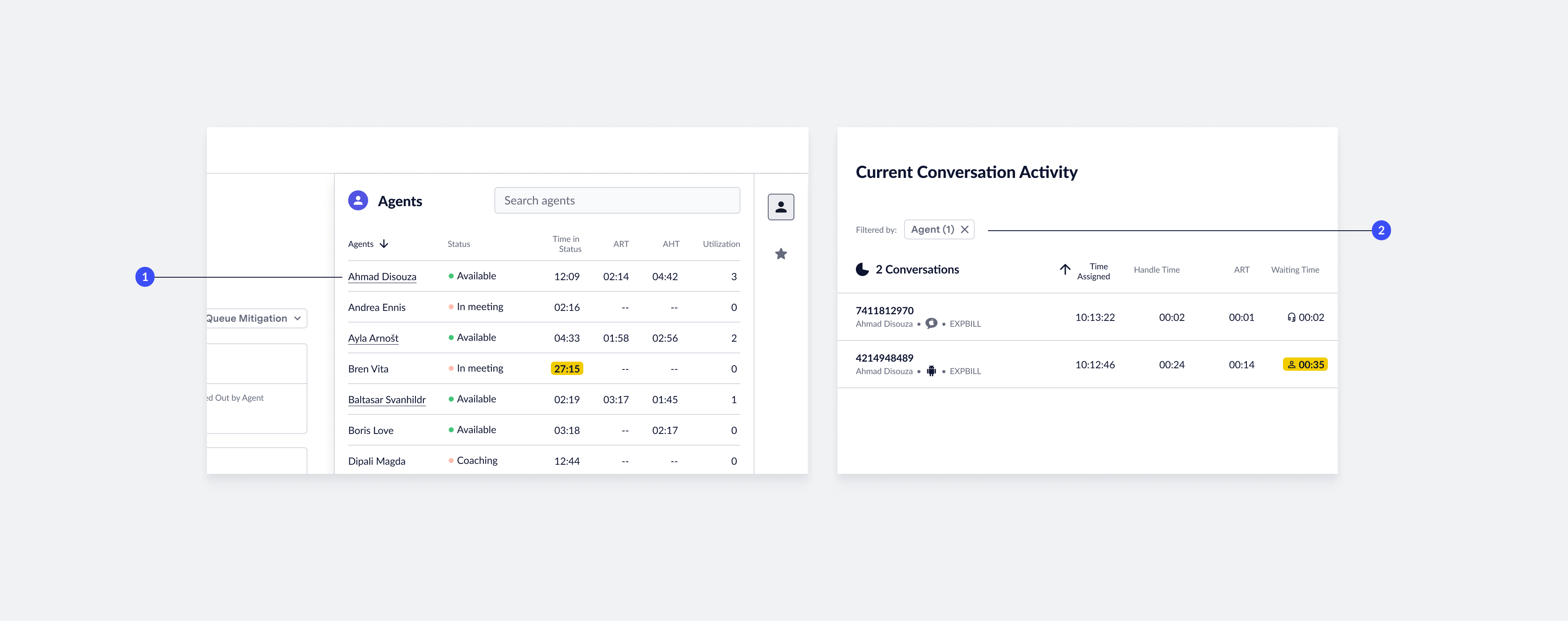
- Agents with assignments: The system underlines agents currently taking assignments in the ‘Agent’ panel. Click an underlined agent name to go to the ‘Conversation’ page to view relevant agent transcripts.
- Agent filter applied: When you view an agent’s transcript, the ‘Conversation Activity’ table displays only their chats. The filter chip displayed above the list of conversations indicates this filtering. To remove the filter, click the X icon in the filter chip.