

- Log in to the developer portal
- Understand Sandbox vs Production
- Access your application’s API Credentials
- Make your first API call
Log in to the developer portal
The developer portal is where you will:- Grant access to developers and manage your team.
- Manage your API keys.
Managing the developer portal
The developer portal uses teams and apps to manage access. The members of your team can have one of the following roles:- Owner: This user controls the team; this user is also called the Developer Portal Admin.
- App Admin: These users are able to change the information on applications owned by the team.
- Viewers: These users can view API credentials, but cannot change any settings.
Understand Sandbox and Production
Initially, you only have access to the sandbox environment and we will create a Sandbox team and app for you. The sandbox is where you can initially build your integration but also try out new features before launching in production. The different environments appear in ASAPP’s API Domains:
ASAPP’s sandbox environment uses the same machine learning models and services as the production environment in order to replicate expected behaviors when interacting with a given endpoint.
Moving to Production
Once you are ready to move to launch with real traffic and move to production, request production access. Tell your ASAPP account team which user will be the Production Developer Portal Admin. ASAPP will create a dedicated production team and app that you can manage as you did for the sandbox team and app.Access API Credentials
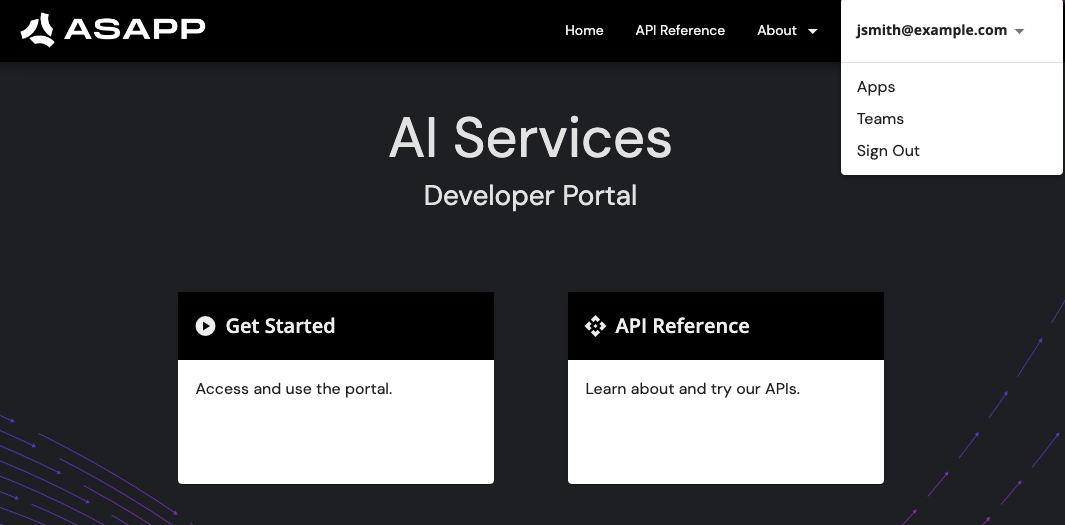
To access your API credentials, once you’ve logged in:- Click your username and click Apps
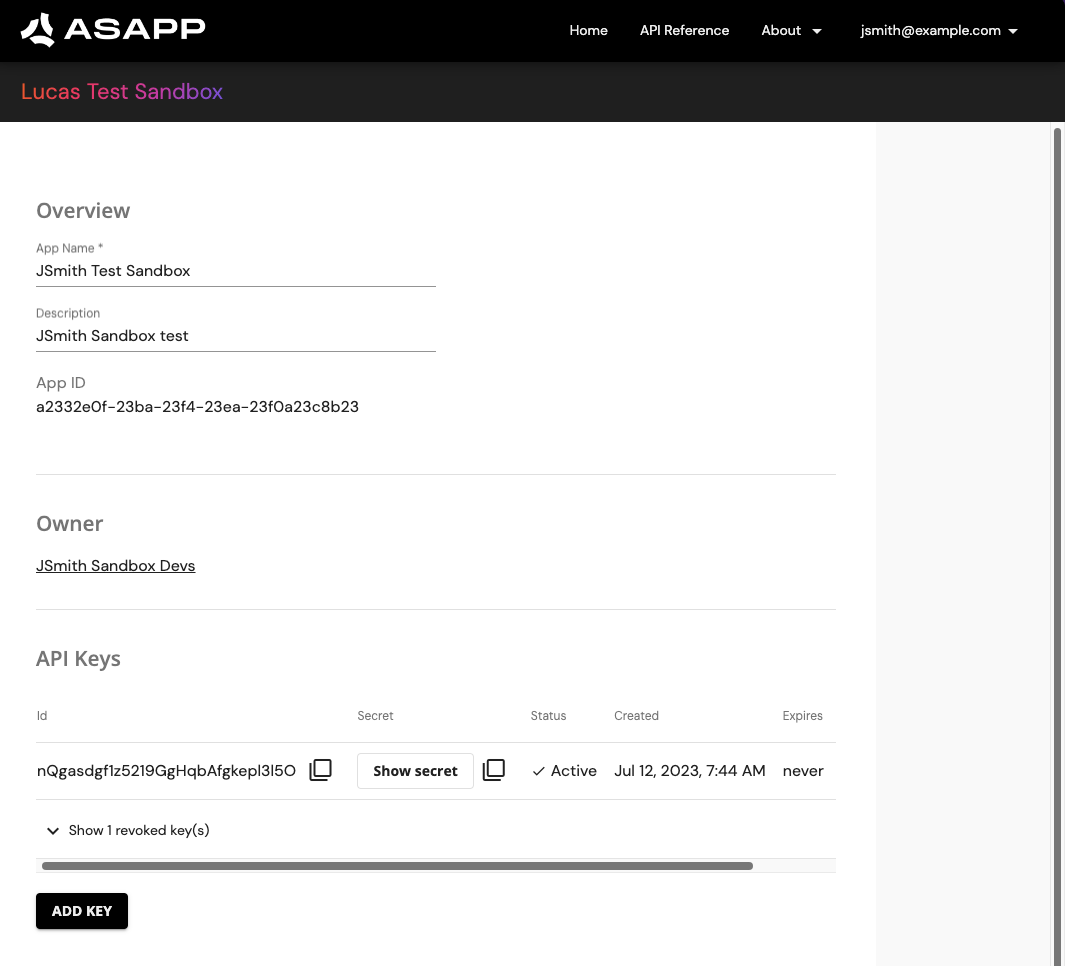
- Click your Sandbox App.
- Navigate down to API Keys and copy your API Id and API Secret
Make First API Call
With credentials in hand, we can make our first API call. Let’s start with creating aconversation, the root entity for any interaction within a call center.
This example creates an empty conversation with required id from your system. You need to include the API Id and Secret as asapp-api-id and asapp-api-secret headers respectively.