

How it works
Our monitoring system uses quality evaluators to assess each turn for adherence to configured tasks and knowledge. When evaluators detect issues, they:- Flag the conversation
- Highlight problematic utterances within the conversation
- Provide rationale for flagging.
Identifying quality issues
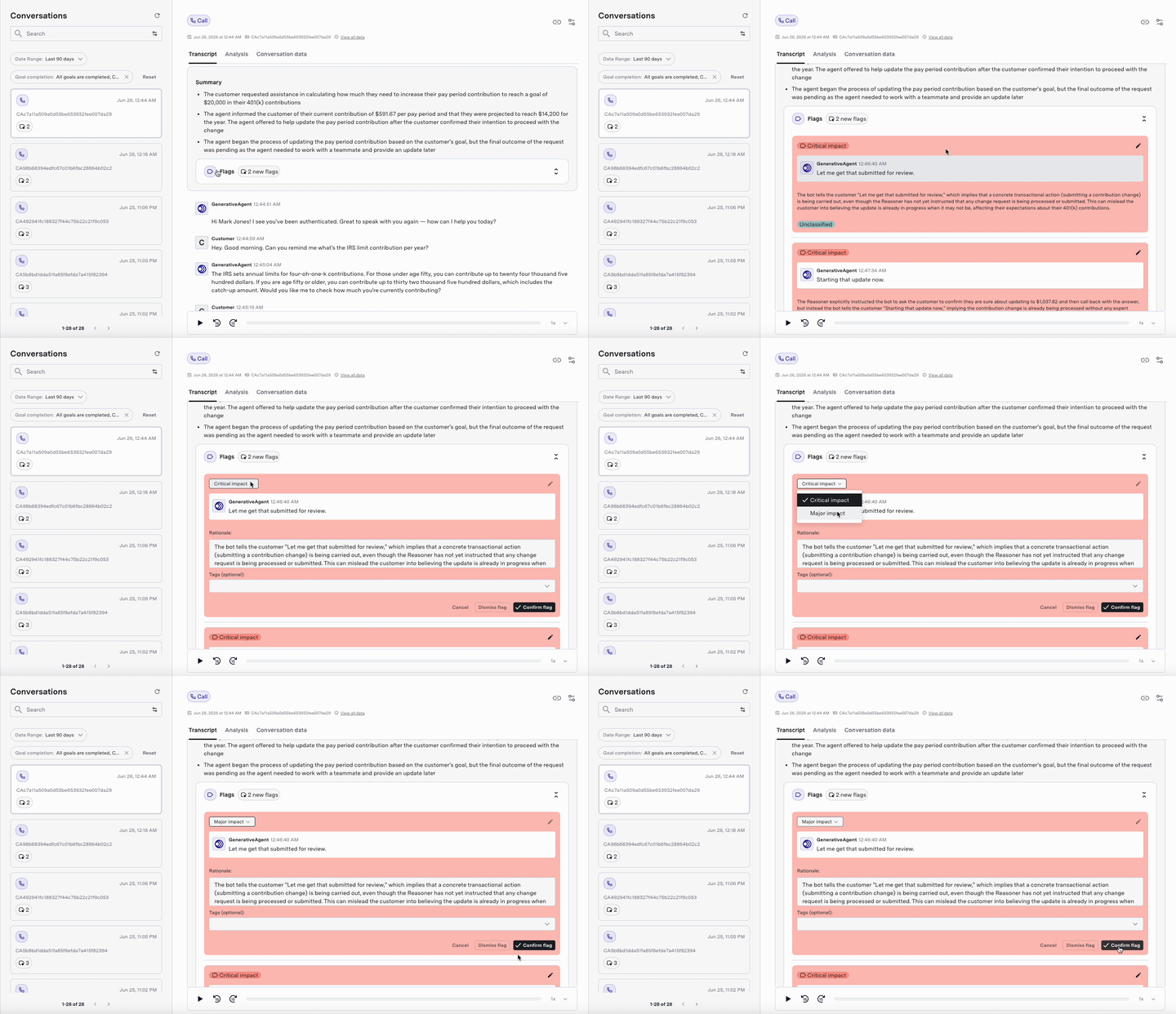
When quality issues are detected, the conversation review interface provides the following features:- Inline indicators: Flagged messages appear with visual indicators directly in the conversation flow. This allows the reviewer to quickly identify potential issues.
- Flags: The Flags section under Summary in the “Conversations” interface provides detailed information about each detected utterance and is a centralized location for quality-related insights. This includes:
- List of all the detected messages in the conversation
- Specific turn(s) that were flagged
- Reason provided by the conversation monitoring system for flagging the message
- Customizable flaging: You can change the severity level of the flagged messages (e.g., from “major” to “critical”) or dismiss them if they are false positives. This helps refine the monitoring system over time.
Next steps
After identifying quality issues in conversations, you can take the following next steps to improve the overall performance of your GenerativeAgent:- Audit AI-driven response quality
- Identify regressions from new tasks, prompts, or configurations
- Generate insights for evaluator training, task design, and knowledge updates
- Improve automation accuracy and reduce escalations from model errors
Manual Annotation
Manually annotate conversations to provide feedback and identify quality issues.
Goal Completion Evaluator
Spot and review customer goals not being met during GenerativeAgent interactions.
Quality Reports
Monitor and improve GenerativeAgent quality with an automated score for every conversation.