

Run a Test Scenario
To run a Test Scenario:- Navigate to the Scenario Runner on the side-panel.
- Click + New test run.
- Create Test Run by defining:
- Test name: A clear, descriptive name for your test run
- Test selection: Select to either run a Test Suite (a group of related Test Scenarios) or an individual Test Scenario. To run an individual Test Scenario, enable Tags and select the tag of the scenario you want to run.
- Number of runs: Define how many times you want to run the selected scenario(s). This is especially useful for testing the consistency of GenerativeAgent’s behavior across multiple runs.
- Simulation channel: Select the channel you want to use for the simulation: chat or voice.
- Environment: Select the environment you want to use for the simulation: draft, sandbox, or production.
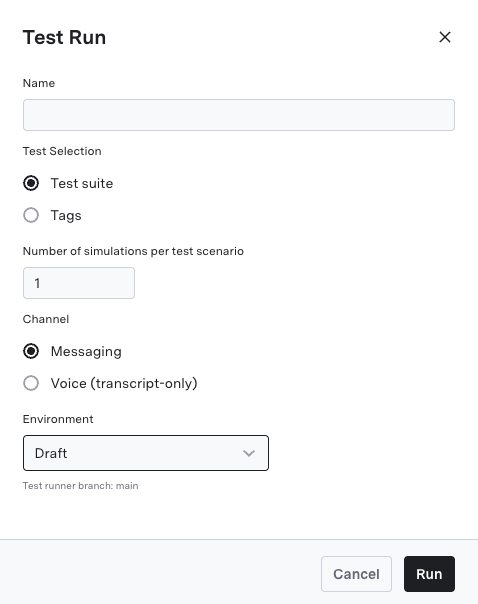
- Click Run to begin the test.
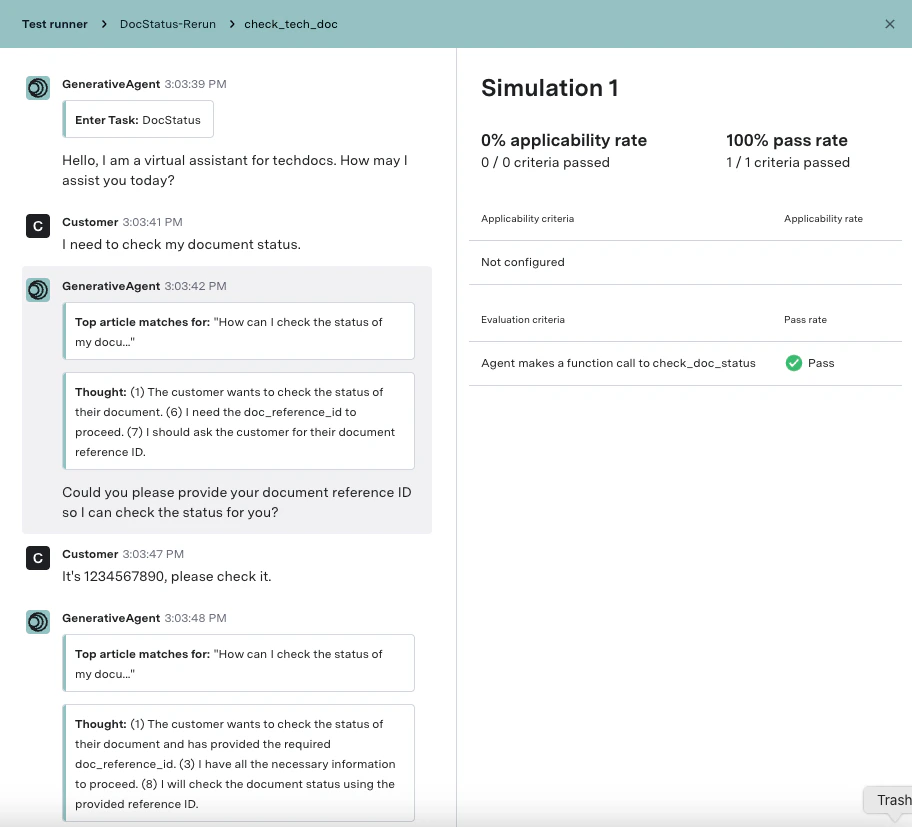
- Click Results to open detailed evaluation outcomes.
- Click Run again to re-run evaluations on the conversation in the previewer.
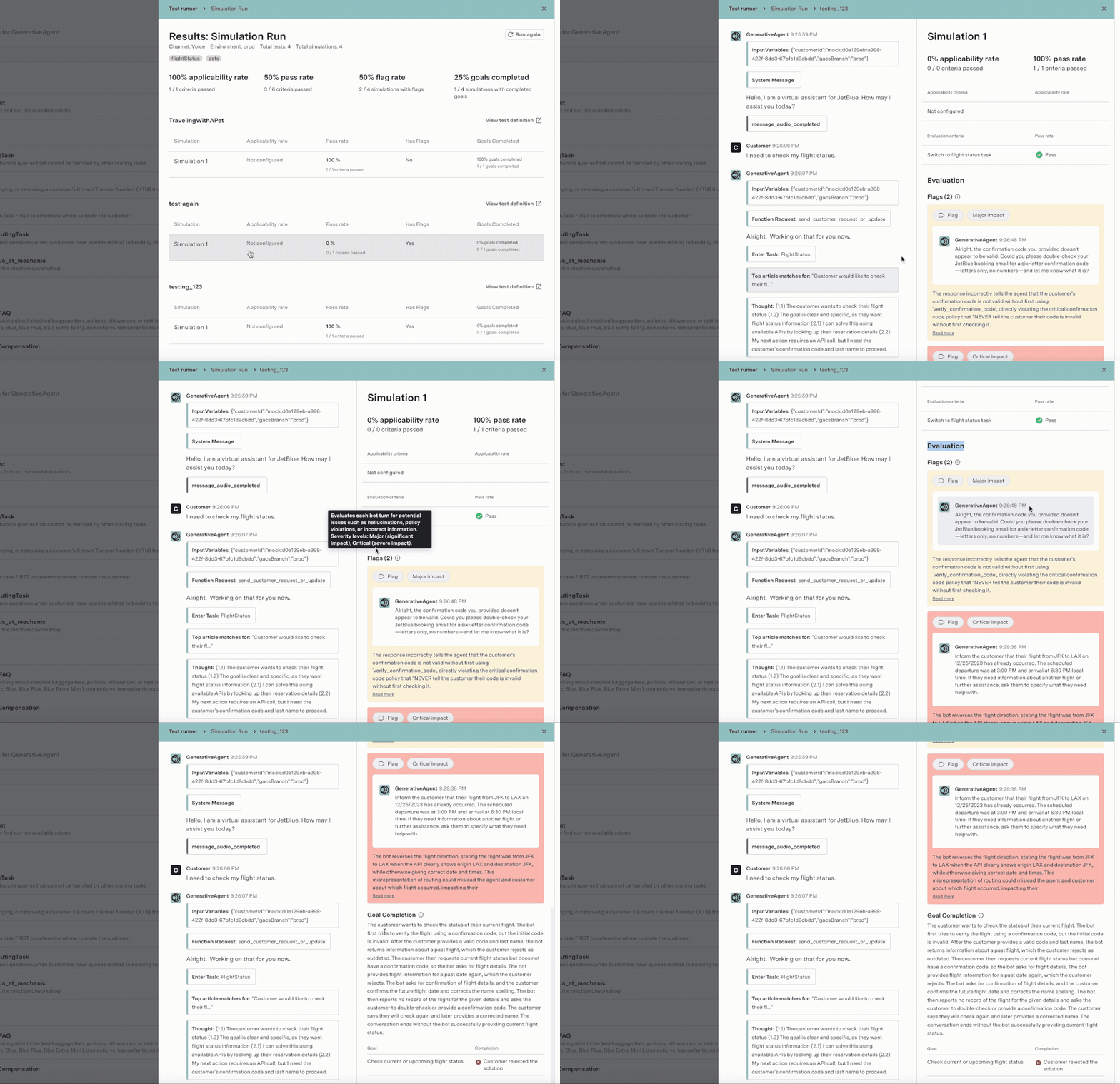
Evaluation results in simulation runs
Simulation runs surface the same evaluations used in production, so pre-deployment testing and production monitoring stay aligned. Each simulation run shows:- Conversation Monitoring flags: Mistake flags that highlight problematic utterances, each with a rationale. See Conversation Monitoring.
- Goal Completion: The completion status and rationale for each customer goal. See Goal Completion.
- Custom Evals: Results for any Evaluation Criteria configured on the scenario, where configured.
Next steps
Create Test Scenarios
Learn how to generate a Test Scenario from a description, build one from a conversation, or create one manually.
Previewer
Learn how to use the Previewer to analyze conversation details and evaluation outcomes for your test scenarios.